User Setup in Federated Servers
Last updated: September 23, 2026
Overview
If your company has many sites located in different parts of the world, it is common to have what are called Federated Servers — servers set up in different regions but linked to each other. To correctly set up a user who needs access to multiple servers, you must configure them as described below. In this article, the server in the user's home region is called the primary server, and any server outside the user's home region is called a secondary server.
Prerequisites & Preparation
Required Permissions: User Manager or Administrator
Step-by-Step Configuration
Add the User to Their Primary Server: If the user already has an account, edit it on their primary server. For example, if the user works in Asia, add/edit the user only on the company's Asia server.
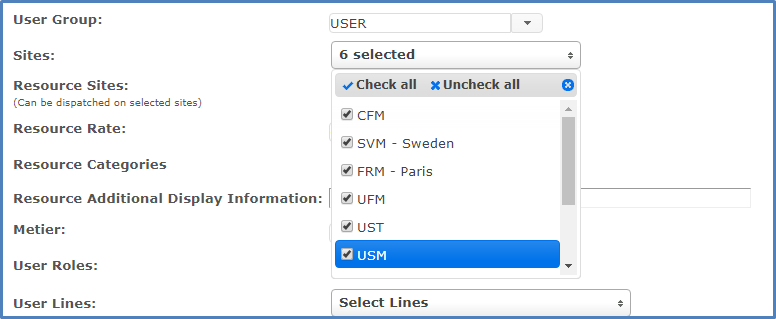
Grant Access to Other Regions: Select the sites from other regions to grant the user access to.
Save & Finalize: Click Save.
The user will now see the additional servers in their site selector screen when they log on to Dispatch.
A new user account will be created on the secondary server automatically the first time the user logs on there — not before.
Note: Do not manually create a new user on a secondary server, since one will be created automatically on first login. Doing so will cause a conflict that must be resolved manually.
How to Use the Federated Login:
Once a user has been granted access to sites in other regions, those new sites will appear on the Select Site page. Simply select a site on a secondary server to log in to that plant.
FAQs
Do I have federated servers? If you're not sure whether your server is federated with another server for your company, contact your site's L2L rep before setting up users across multiple sites.
How do I federate two servers together? Federating two servers requires configuration by an L2L rep. Please contact L2L to set up server federation.