Setup - Dispatch Questions
Last updated: September 25, 2026
Overview
Dispatch Questions can be used to require users to answer specific questions when an event is initiated or before it's closed. Dispatch Questions can be associated with events based on Area, Line, Machine(s), Sub Assets, Technologies, Value Streams, Reasons, and Dispatch Type, and require an answer before proceeding. They can be added to gather detailed information for short periods to assist with root cause analysis, or to verify that procedures are being followed during events.

Prerequisites & Preparation
Required Permissions: System Manager or Administrator
Step-by-Step Configuration
Navigate to the Menu: Go to Setup > Dispatch Questions.
Initiate Creation: Select Add New in the upper right corner of the Dispatch Questions bar.
Enter Details:
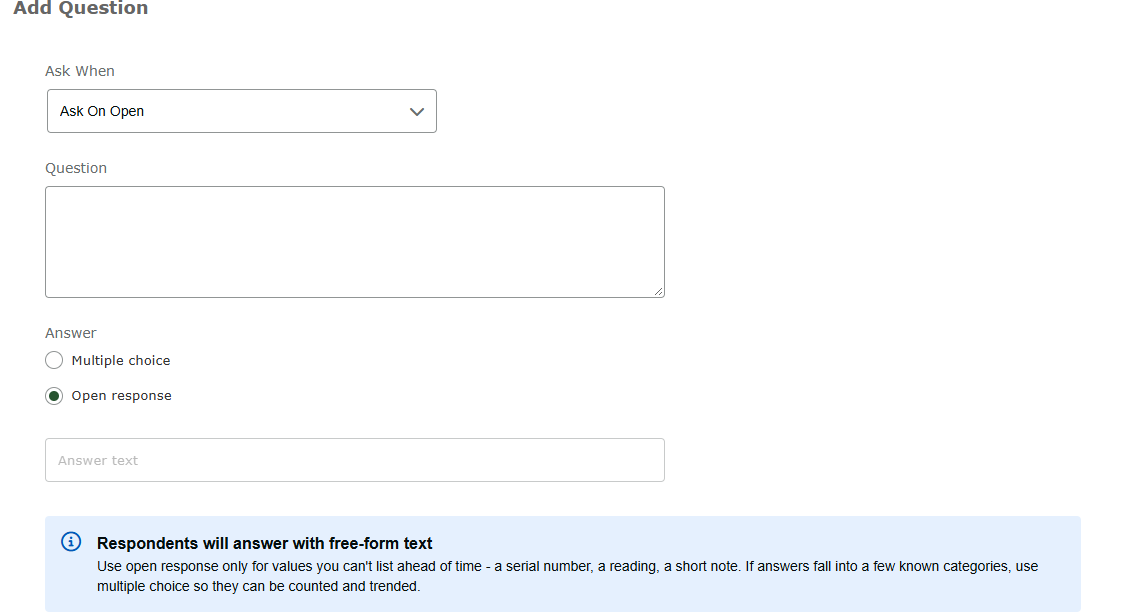
Trigger Point: Select when the question should be asked:
Ask On Open — when the event is initiated. Examples: "What lot is being run?", "Was there a recent changeover (Yes/No)?", "What model is running?", "Has material or product been quarantined (Yes/No)?", "Were there any symptoms prior to failure — explain?"
Ask On Dispatch — when a resource is dispatched. Example: "The job you are dispatching yourself to is in an area where no equipment can be modified or parts changed that are not like-in-kind. Do you acknowledge?"
Ask On Close — before the event can be closed. Examples: "Did you follow lockout-tagout procedure?", "Was weld heat adjusted (Yes/No)? How much?"
Ask On Complete — before the event can be completed. Useful when the person completing the dispatch differs from the person closing it (e.g., a resource answers questions on complete, and a supervisor answers questions on close).
Question: Enter the question text.
Define Attributes:
Answer Type:
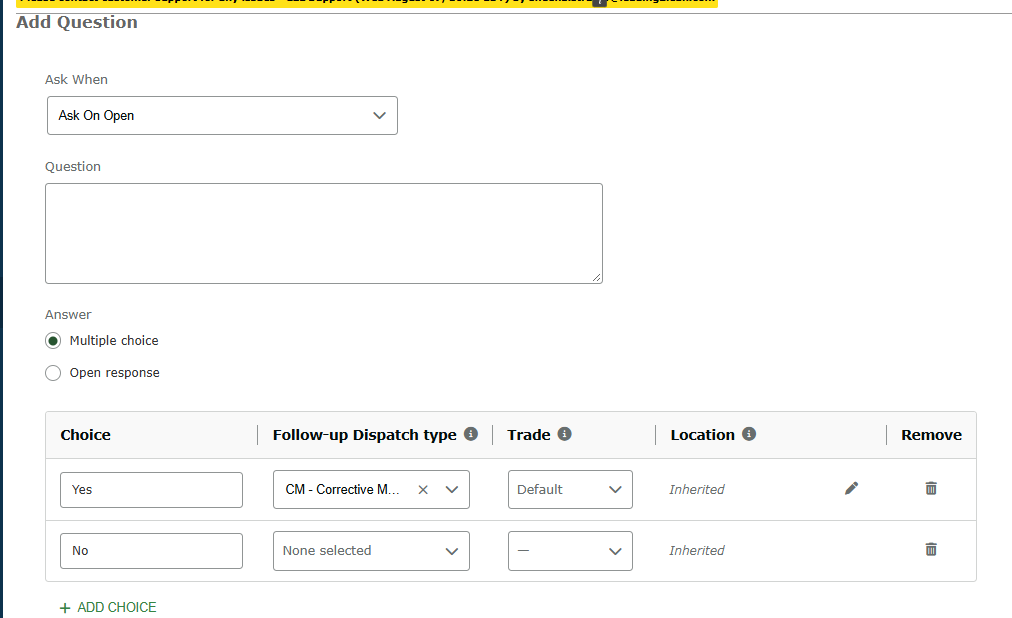
Multiple Choice: You can choose to launch a follow-up dispatch based on Choices.
Create Choice options
Follow-Up Dispatch Type: This dispatch is created as soon as the dispatch is saved.
Trade: Who works the launched Dispatch. Blank uses dispatch types default trade; if the type has none, the site default trade applies.
Location: Where the launched dispatch goes. Fields left as inherited copy from the launching dispatch, changing the area requires a line and machine.
Open Response: Use open response only for values you can't list ahead of time - a serial number, a reading, a short note. If answers fall into a few known categories, use multiple choice so they can be counted and trended.
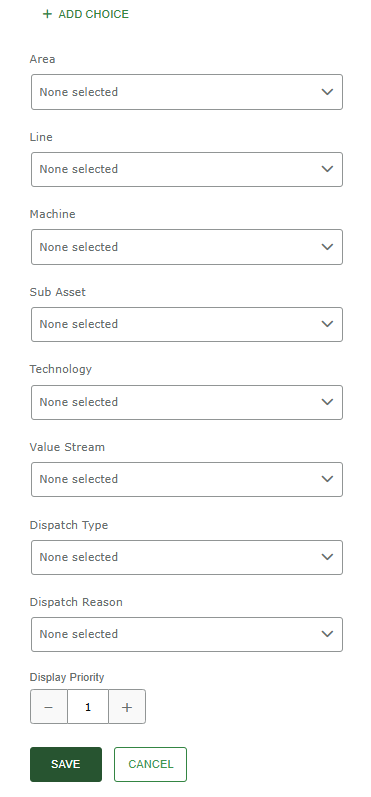
Scope: Select the applicable Area, Line, Machine, Dispatch Type, etc. that the question should apply to.
Note: Selecting Area(s), Line(s), Machine(s), Technology(s), etc. applies the question to machines based on those selections.
Save & Finalize: Click Save.