Pro-Tip: Not Seeing My Notifications or My Scheduled Reports in your Menu?
Last updated: September 28, 2026
Overview
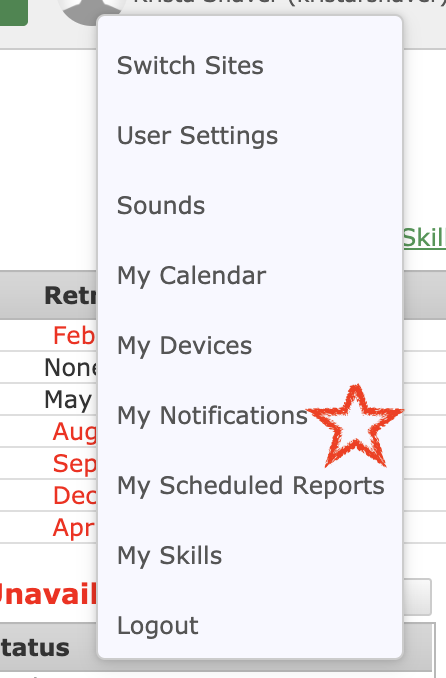
My Notifications and My Scheduled Reports appear in your User Dropdown only when the notification setting is enabled. If you don't see them, the setting is most likely turned off.
Prerequisites & Preparation
Required Permissions: User Manager or Administrator
Step-by-Step Configuration
Navigate to the Menu: Go to Setup > My Notification Settings.
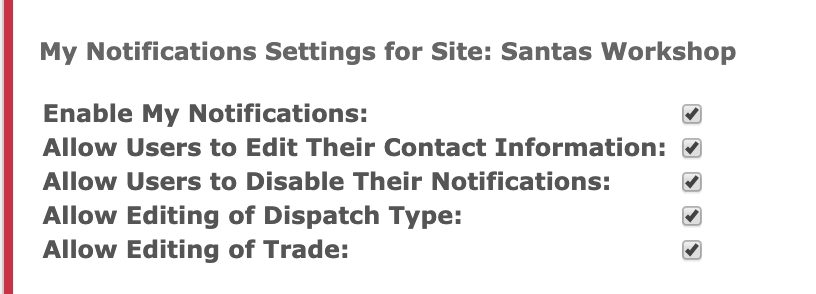
Enable the Setting: Check the box for My Notifications.
Save & Finalize: Click Save.
Result: My Notifications and My Scheduled Reports now appear in your User Dropdown.