📕 Setup - Subassets
Last updated: September 23, 2026
Overview
Some facilities contain large machines with associated smaller machines. These can be configured as a "parent machine" with one or more sub-assets linked to it.
Prerequisites & Preparation
Required Permissions: System Manager or Administrator
Step-by-Step Configuration
Navigate to the Menu: Select Setup on the left-hand menu, then, under System Setup, select Machines.
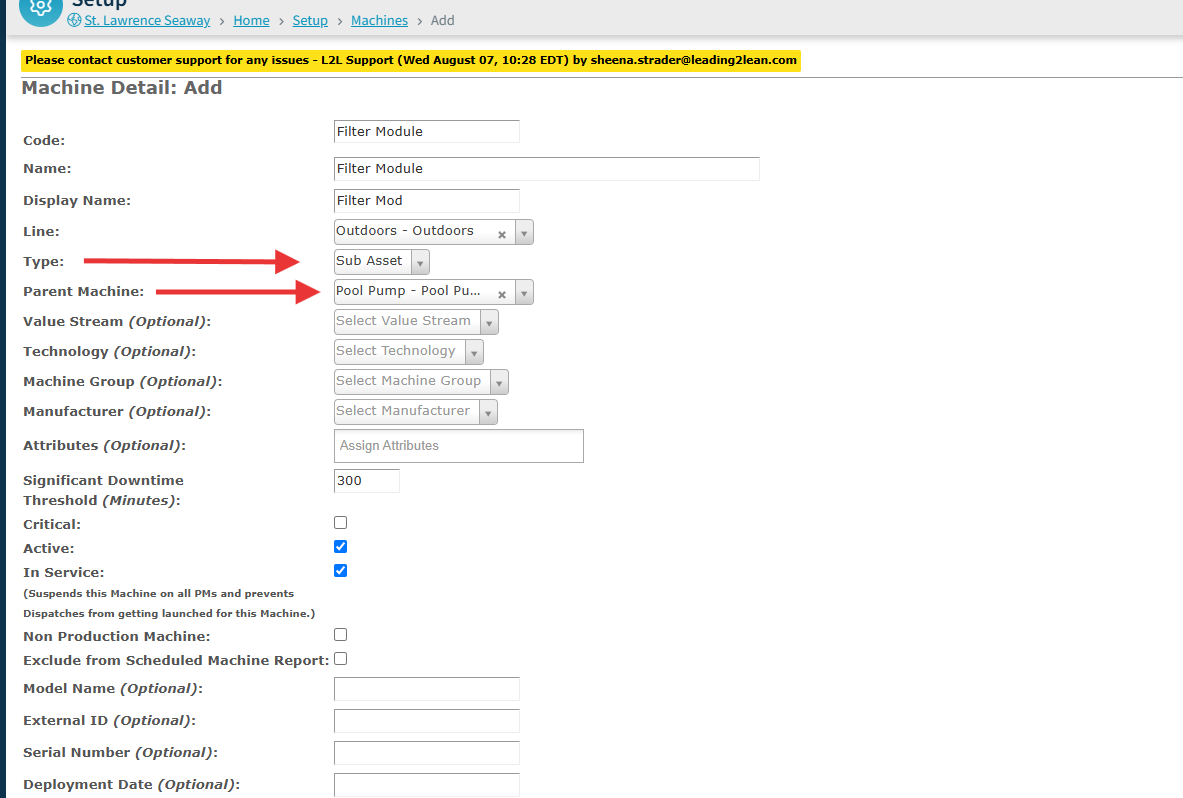
Set the Type: In the Type dropdown, select Sub Asset.
Define Attributes:
Parent Machine: A Parent Machine dropdown will appear.
Note: If your machine does not appear in the Parent Machine dropdown, make sure the Parent Machine and Sub-Asset are assigned to the same Line.
Save & Finalize: Click Save.
FAQs
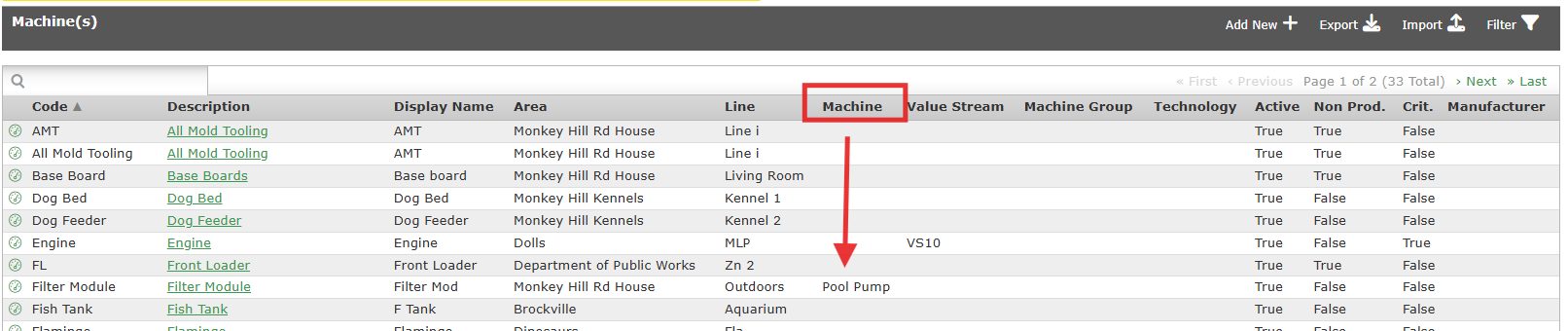
When viewing your machine list, parent machines will be found in the Machine column.
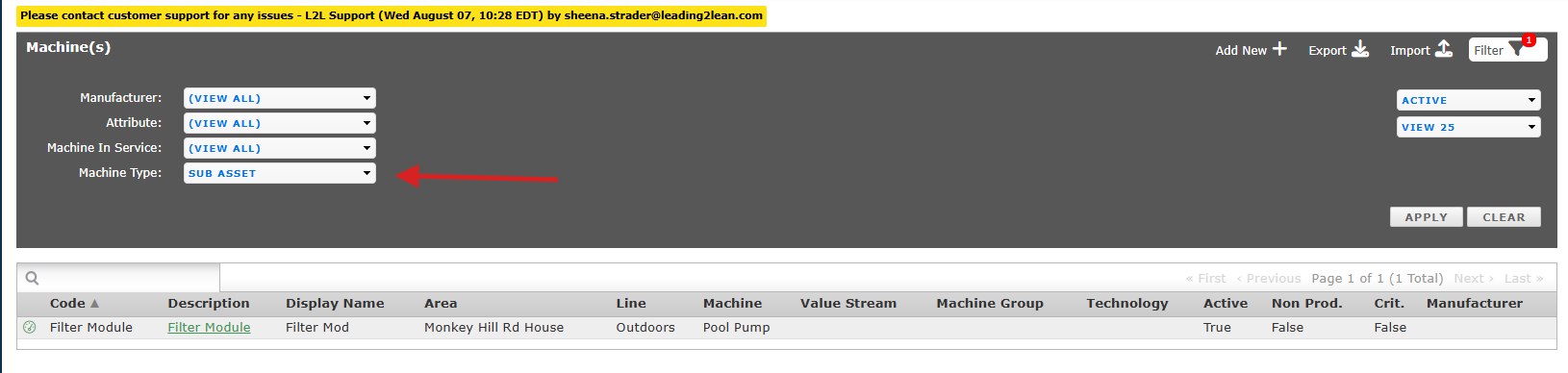
When viewing the machine list, you have the option to filter by Sub Asset in the Machine Type dropdown.
When a sub-asset experiences downtime, the parent machine is not automatically considered down. Downtime is recorded against the specific sub-asset, allowing reports to accurately reflect which component is affected rather than attributing downtime to the machine as a whole.
If Spares are used on a sub-asset, they get charged to the sub-asset not the parent machine.