Component Codes
Last updated: September 25, 2026
Overview
Component Codes are the noun or object that was worked on within a dispatch.
Examples:
"I replaced the belt on the drive." → Component is Drive
"The track needed to be re-aligned." → Component is Track
Quick Tip: Actions or components can be deleted by clicking the Clear button to the right of the comments box.
Note: If using the Dispatch Portal, Execution AI will suggest fixes based on the Machine, Dispatch Type, and recent historical data. Click Add Component to choose a fix.
Prerequisites & Preparation
Required Permissions: System Manager or Administrator
Step-by-Step Configuration
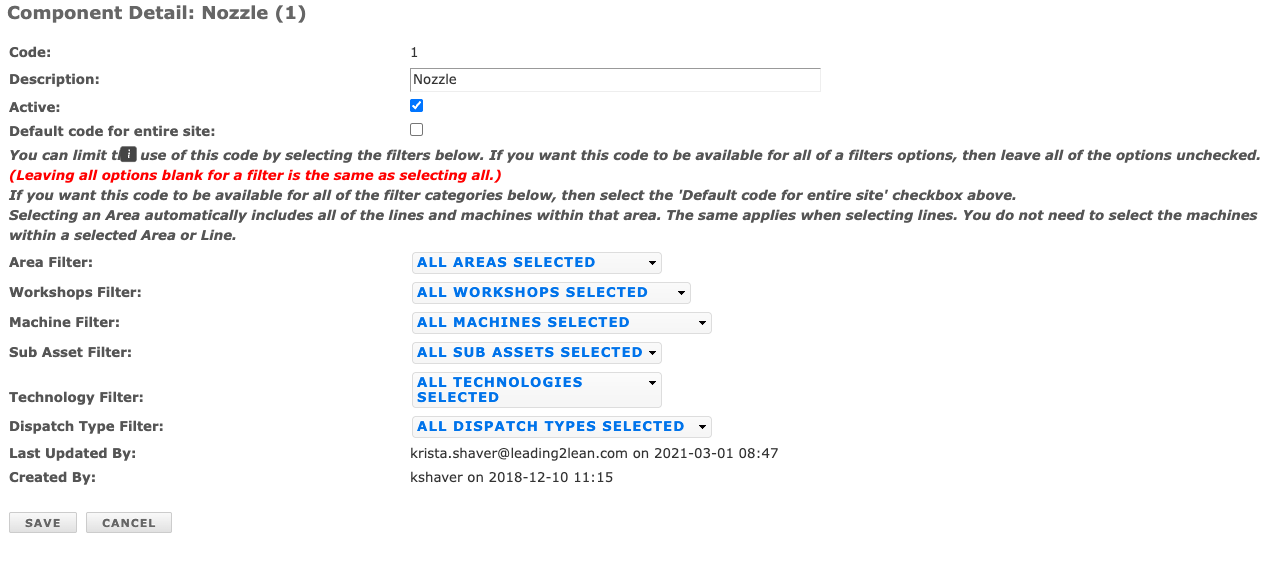
Navigate to the Menu: Go to Setup > Component Codes.
Initiate Creation: Click Add New in the upper right corner of the Component Codes bar.
Enter Details:
Description: Enter the Component Code description (ensure the integer value is less than or equal to 2147483647).
Define Attributes:
Default: Check this option if the code should be available for all events across the entire site. Leave unchecked if the code applies only to specific event types and/or machine(s), and select the applicable criteria below (Area, Line, Machine, Dispatch Type, etc.).
Save & Finalize: Click Save.