Setup - Units of Measure
Last updated: June 19, 2026
Overview
Here you can setup units of measure to be used with your products.
Prerequisites & Preparation
Units of Measure can be found in the System Setup Menu for anyone with System Manager permissions.
Step-by-Step Configuration
- Select Setup on the left-hand menu.
- Under System Setup, select Units of Measure.
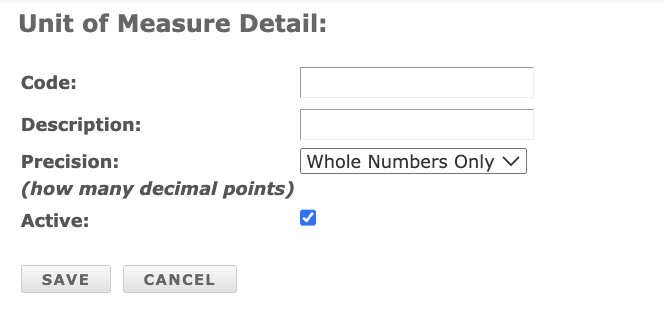
- Enter a Code.
- Enter a Description.
- Select a Precision from the dropdown.
- Select Save.


FAQs
- There are two ways you can associated a UOM with a Product:
- Go to Production > Products > Select a Product and find the UOM dropdown. Save.
- Export your Products, fill in the column for Default UOM and return to us for import.
- Products now have a Conversion Table you can set up on the Products page. Production: Products/Components