Broadcast Banner Messages
Last updated: July 14, 2026
Note: You must have Administrator-level access to add or edit system-wide Broadcast Messages.
Broadcast Messages are globally displayed banner alerts that appear at the top of every screen for all logged-in L2L users. This is the fastest way to communicate site-wide alerts, system maintenance windows, or safety announcements.
Creating a Broadcast Message
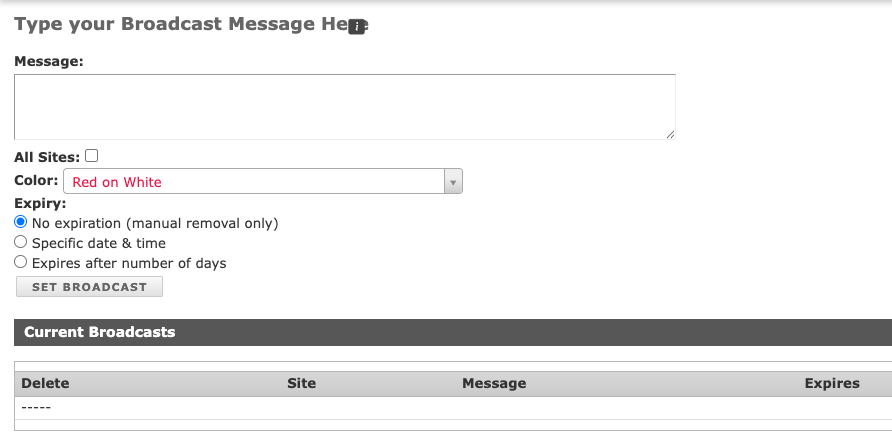
Go to the Setup menu and select Broadcast Messages.
Type your message into the text field on the Broadcasts page.
Select 'All Sites' if it is for every site on the server.
Choose a Color if desired.
Select an expiration - none, specific date & time, after X # of days.
Click Set Broadcast.
The message will immediately appear as a banner at the very top of the home page and on all other active L2L screens.
Current Broadcasts
You'll see the list of broadcast messages that are active. You can delete them from there as well.