📕 Setup - Manufacturers
Last updated: September 23, 2026
Overview
Manufacturers are used to assign the Manufacturer to the Machine Model.
Prerequisites & Preparation
Required Permissions: System Manager or Administrator
Step-by-Step Configuration
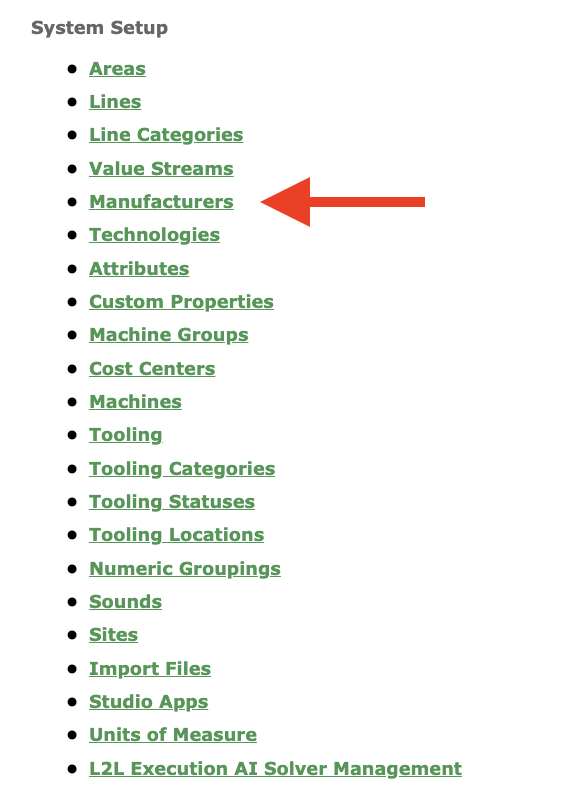
Navigate to the Menu: Select Setup on the left-hand menu, then, under System Setup, select Manufacturers.
Initiate Creation: Select Add New at the top right.
Enter Details:
Code: Enter a code.
Description: Enter a description.
Define Attributes:
Status: Use the Active checkbox to mark the Manufacturer as active or inactive.
Save & Finalize: Click Save.
FAQs
After Manufacturers are configured, you assign them to Machines.
You'll find Manufacturers as a filter on several of our Reports.
There is a Read/Create/Update API for Manufacturers. You can find more information in the Record Areas of our API Documentation.
Manufacturers can be filtered by active/inactive status using the Filter button at the top right of the Manufacturers page.
Manufacturers can be exported using the Export button at the top right of the Manufacturers page.