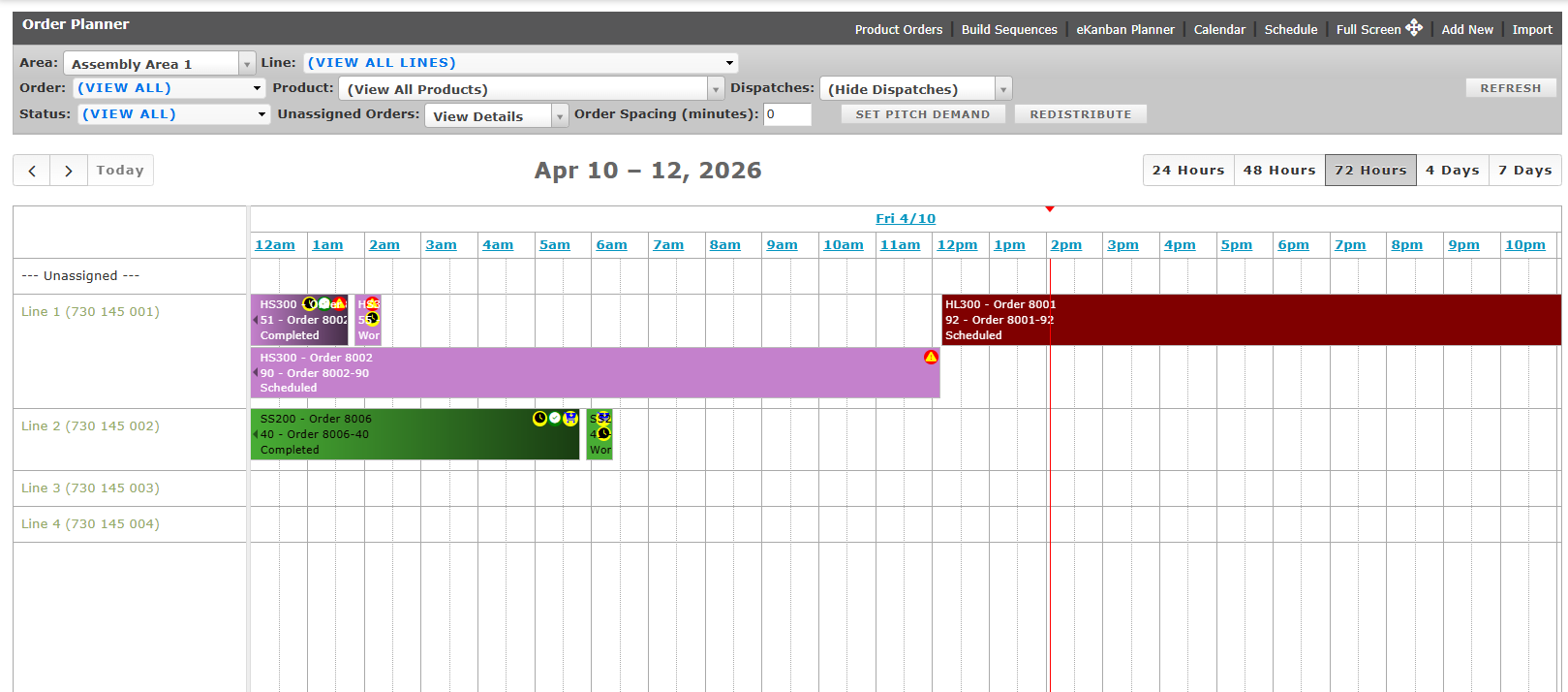
The Order Planner module within the L2L is your command center for ensuring that the right products are being built at the right time to meet your facility's production goals. This interface is designed specifically for production supervisors and planners to manage and visualize manufacturing schedules.
Core Functions
The Order Planner provides several tools to help you balance workloads and meet customer demand:
- Visual Scheduling: The central timeline allows you to see exactly when product orders are scheduled to run on specific lines.
- Order Assignment: You can take Unassigned Orders and drag or assign them to specific production lines and time slots to balance the workload.
- Capacity Planning: The Order Spacing and Set Pitch Demand tools help you calculate how much time should be between orders to meet customer demand without overloading the line.
- Real-Time Tracking: A vertical red line on the grid indicates the current time, helping you quickly see if production is running ahead of or behind schedule.
Key Navigation Options
Use the top navigation and filtering options to customize your view and manage specific production elements:
- Build Sequences: Manage the specific order in which items must be produced.
- eKanban Planner: Manage inventory replenishment using visual signals.
- Area/Line Filtering: Use the dropdown menus at the top of the screen to filter by specific areas, lines, or products to clean up the view.