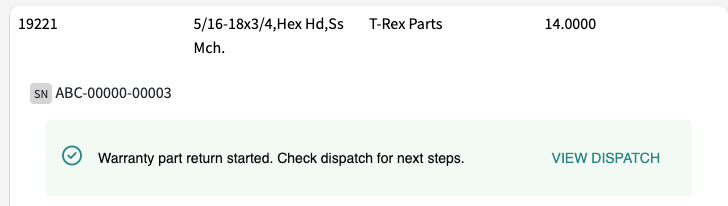
Spares Parts Warranty
Last updated: June 19, 2026
L2L Support will need to enable Serialized Parts and Spares Warranty for your Site.
Setup
1. Spares Settings
The Warranty return Dispatch Type, Warranty instruction text, and Warranty confirmation text fields are configured on the Spares Settings page.
- Warranty return Dispatch Type: Select a Dispatch Type for when you are returning a warrantied part. (You will want to create a unique Dispatch Type specifically for this purpose). *If certain people need to be aware of a part being returned, you can set up notifications for the spares warranty dispatch type you created.
- Warranty instruction text: Default text reads: "Don't discard - installed part under warranty. Bring to MRO crib attendant." This can be edited.
- Warranty confirmation text: Default text reads: "Warranty part returned to MRO. Dispatch created with return instructions." This can be edited.
2. Serialized Part Detail
First, add a Serialized Part or select one from the list. Serialized Parts You can do this two ways; 1. go to Spares Menu > Serialized Parts > Add New or 2. Spares Menu > Inventory Control > Select the part and check 'serialized part', save. Then go back in and select 'Serialized parts' at the bottom of the page.
Check 'Part has warranty'. This will open up more features.
- Warranty starts: Choose from On Purchase or On Installation.
- Date of Purchase: Enter the date.
- Coverage Period: Input a number and select days, months, years from the dropdown.
- Warranty Expiration: Automatically filled in based on the inputs above.
*Note: You can also import serialized parts!
How-To
From a Dispatch, you can request a serialized part. In order to do so, click + Spare, search for the serial number of the part. Click it, enter a quantity and category, and Save.
If someone tries to request that serialized part again, they will receive a note letting them know it's under warranty with the option to 'Return' it.
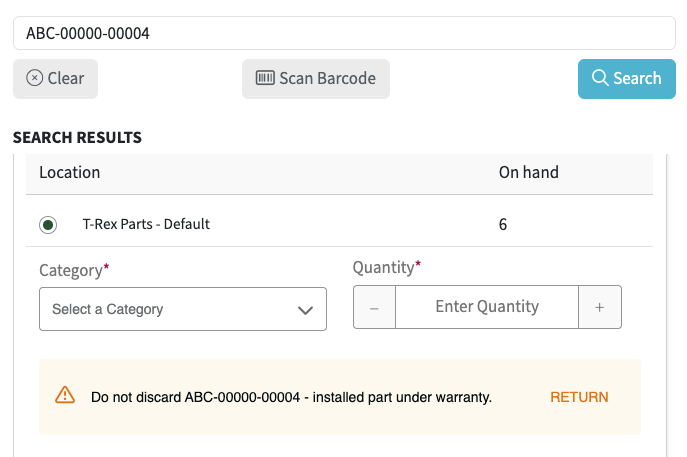
Returning a Warranty Part
When that part has been requested again, you will see the pop up above and will click "Return". This will launch a Dispatch.