How to: Reviewing Product Orders
Last updated: June 19, 2026
Product Review Process and Scoring Features
Efficient product order review is crucial to ensuring quality and maintaining a seamless workflow. Our Product Review Process streamlines this by providing a clear and systematic way to track, validate, and approve product orders.
Navigating Product Orders
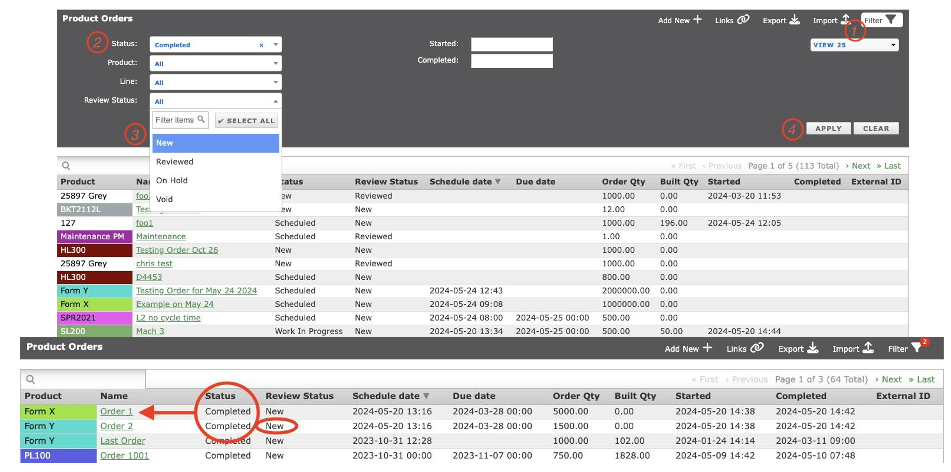
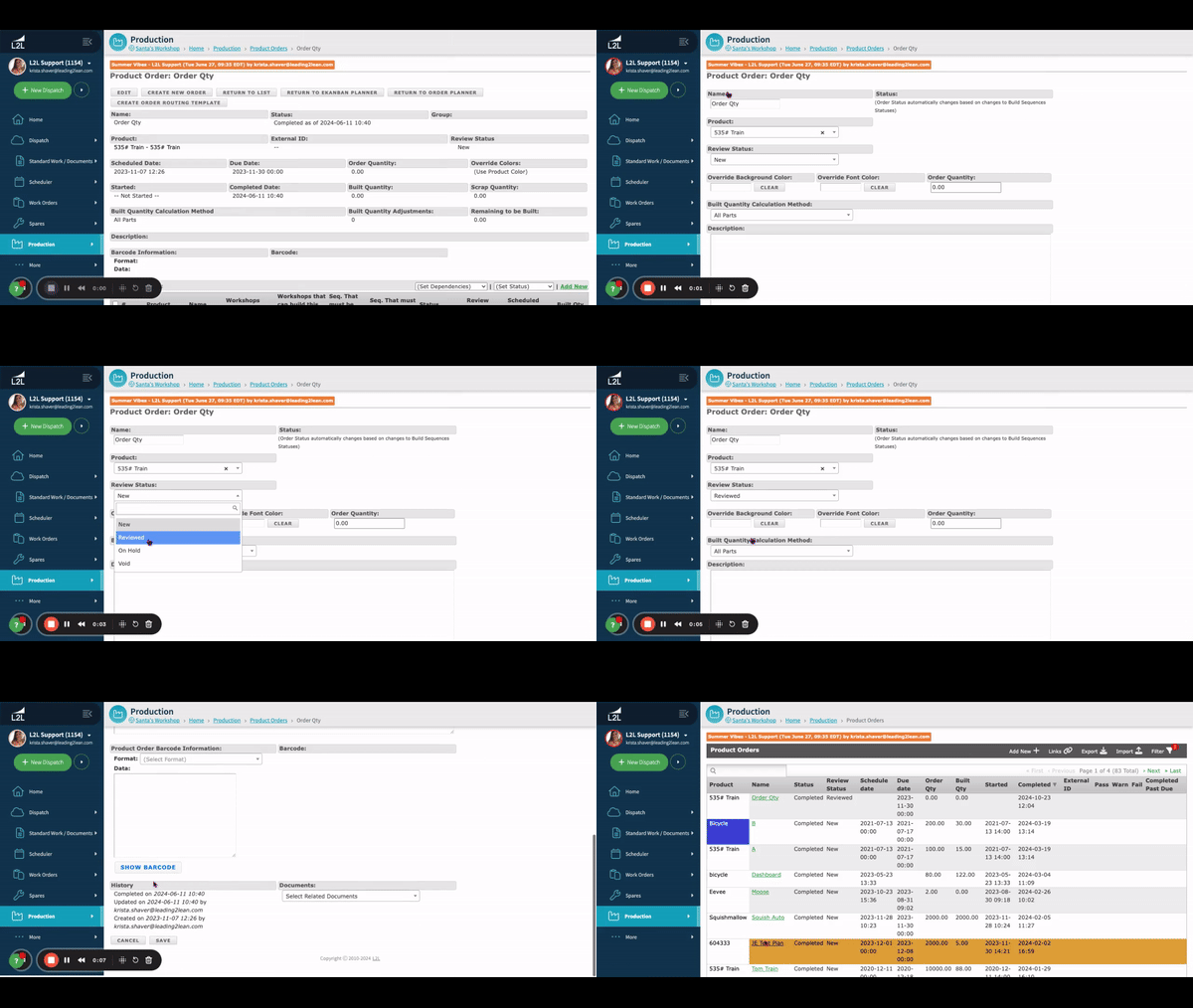
To begin the review process, navigate to the Product Orders through the Production Module. By using the filter option, reviewers can set specific parameters based on their desired view. For instance, selecting the Completed Product Order Status alongside the NEW Review Status allows for a focused view of finalized orders awaiting review.
Reviewing Product Orders
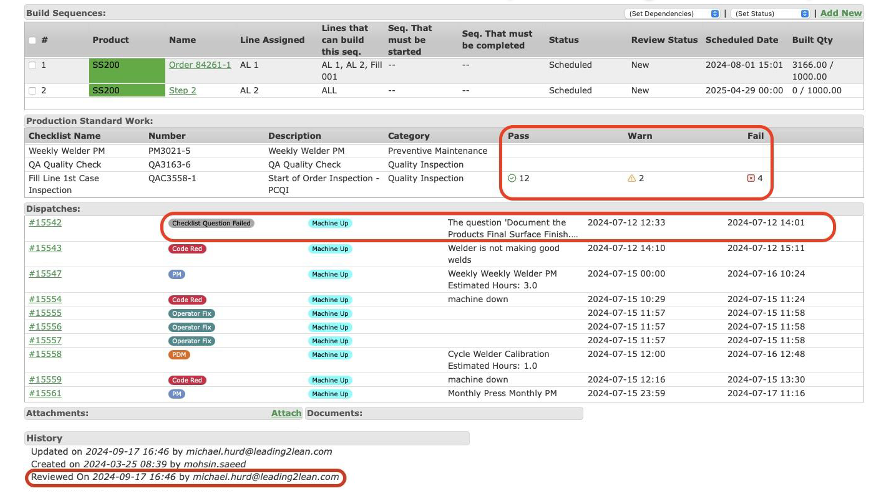
Upon selecting the appropriate order, all associated checklists, dispatches, and tasks are displayed, including Pass/Warn/Fail metrics. This provides a comprehensive view of the order’s journey, from its origination to any remediation steps taken for failed tasks. The reviewer can then click Edit to update the Review Status after examining the documentation.
Review Statuses are:
- New (Default)
- On Hold
- Reviewed
- Void
Once the review is complete, the system adds a Status Timestamp and Digital Signature to the history, ensuring full traceability.
If you don't see how to review an order or the pass/fail/warn criteria, you likely haven't set it up yet. The following articles will help:
- Checklist Scoring/ Validation
- Checklist Edit Template Screen
- 📕 Production: Settings - enable Product Order and Build Sequence Review along with granting a Reviewer permission.
Comprehensive Reporting
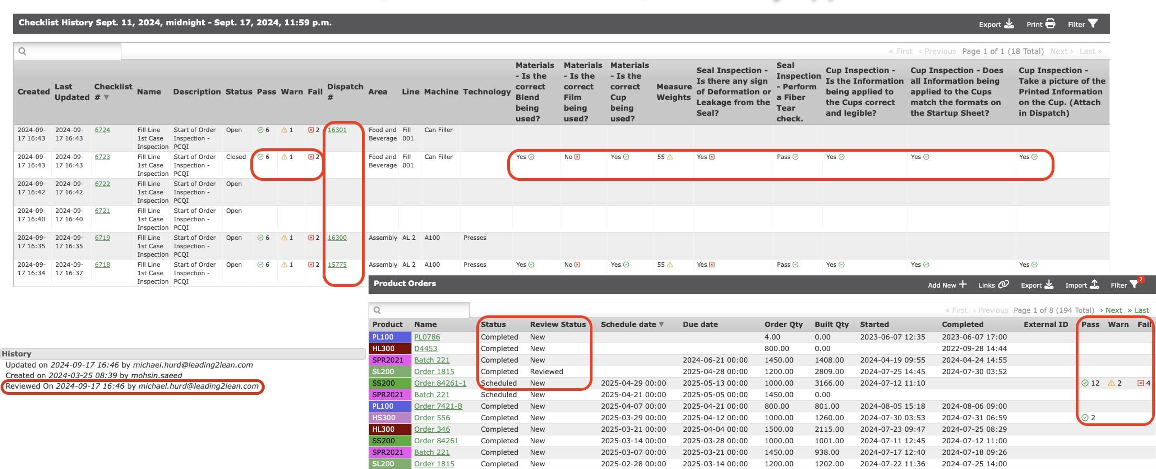
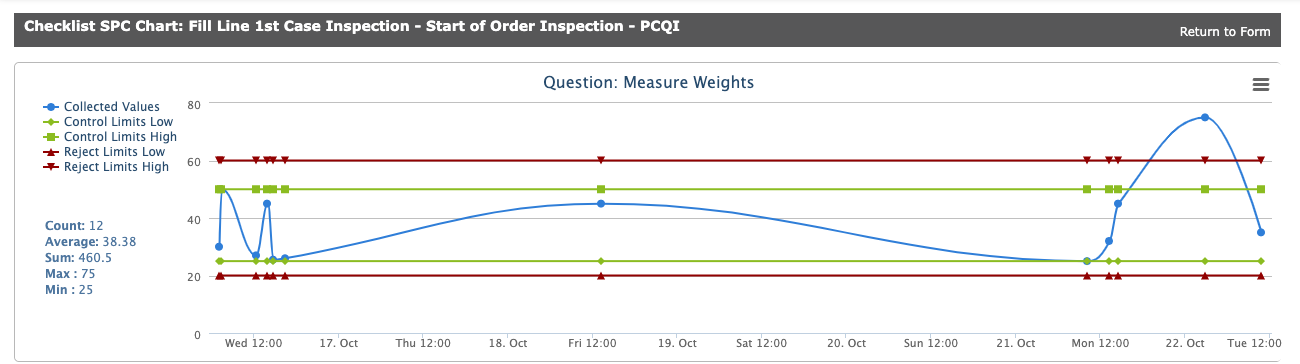
The improved reporting system captures all relevant information, including task scoring, product order review status, dispatch associations, and completion dates. This creates a clear and documented path from task failure to remediation and final review approval, ensuring transparency and accountability throughout the process.