How to update Roles in L2L Analytics
Last updated: October 1, 2026
Summary:
L2L Analytics has several different user roles that provide different levels of access. You can update these roles for your users to grant them the necessary permissions.
Prerequisites:
Before starting, you'll need administrator access yourself.
Step-by-Step Instructions:
Open Analytics
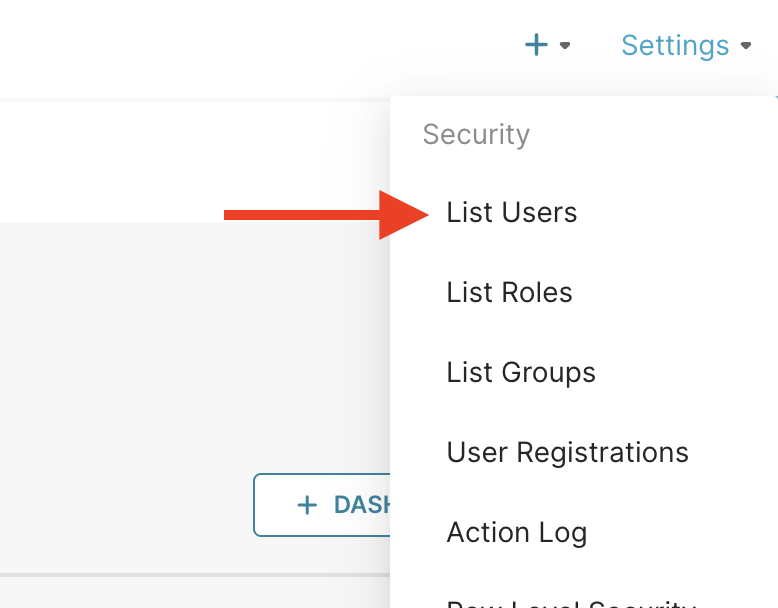
Select Settings at the top right of the page
Select List Users
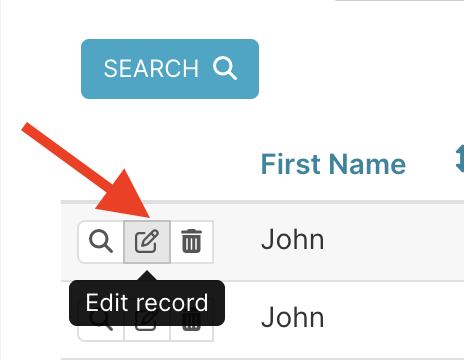
Find the desired user in the user list
Select the edit record icon to the left of the user's name
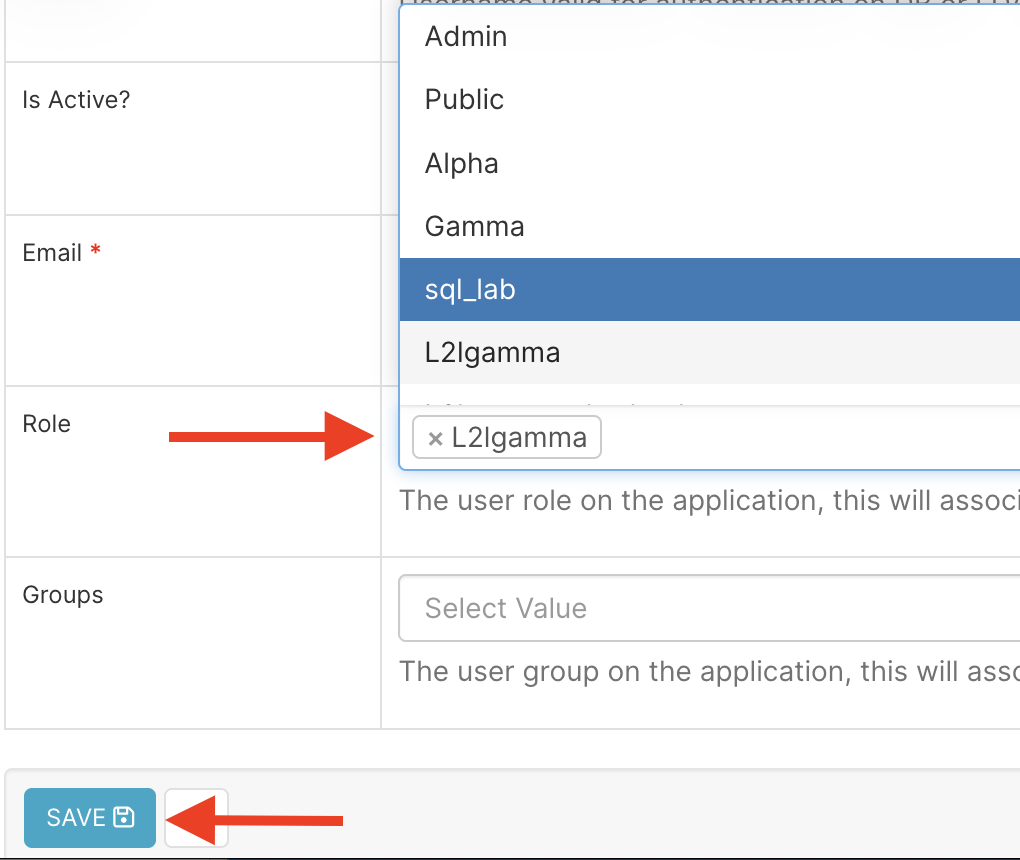
In the Role dropdown, select the desired role
Select Save at the bottom of the page