Embed L2L Analytics Dashboard into My Dashboards in L2L
Last updated: June 19, 2026
Embed External L2L Analytics Dashboard into My Dashboards in L2L
Key Benefits
Include the External Dashboards from L2L Analytics/Superset into L2L for easy access instead of having to navigate outside of L2L.
Step-by-Step Configuration
-
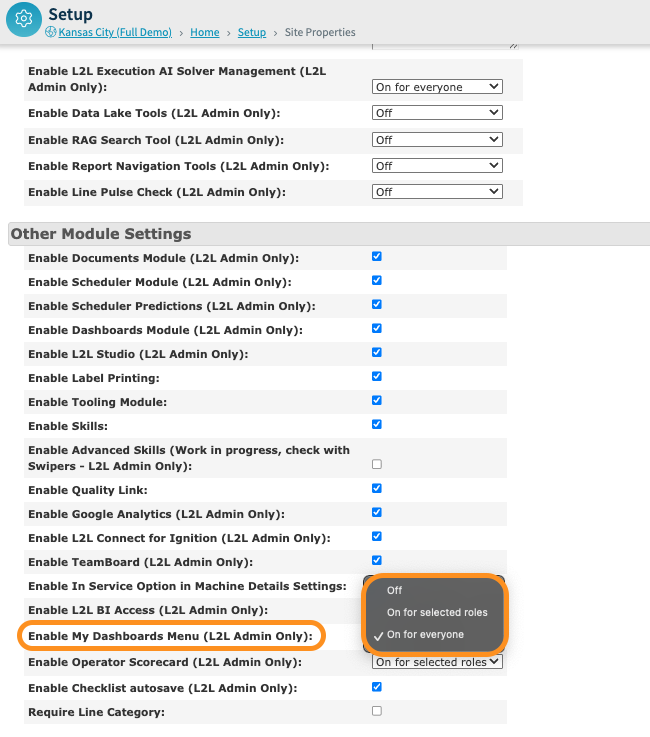
Navigate to the Site Properties: Go to Site Properties > Other Module Settings > Enable My Dashboards Menu (L2L Admin Only). In the dropdown, select "On for Selected Roles " or "On for Everyone" & save.
-
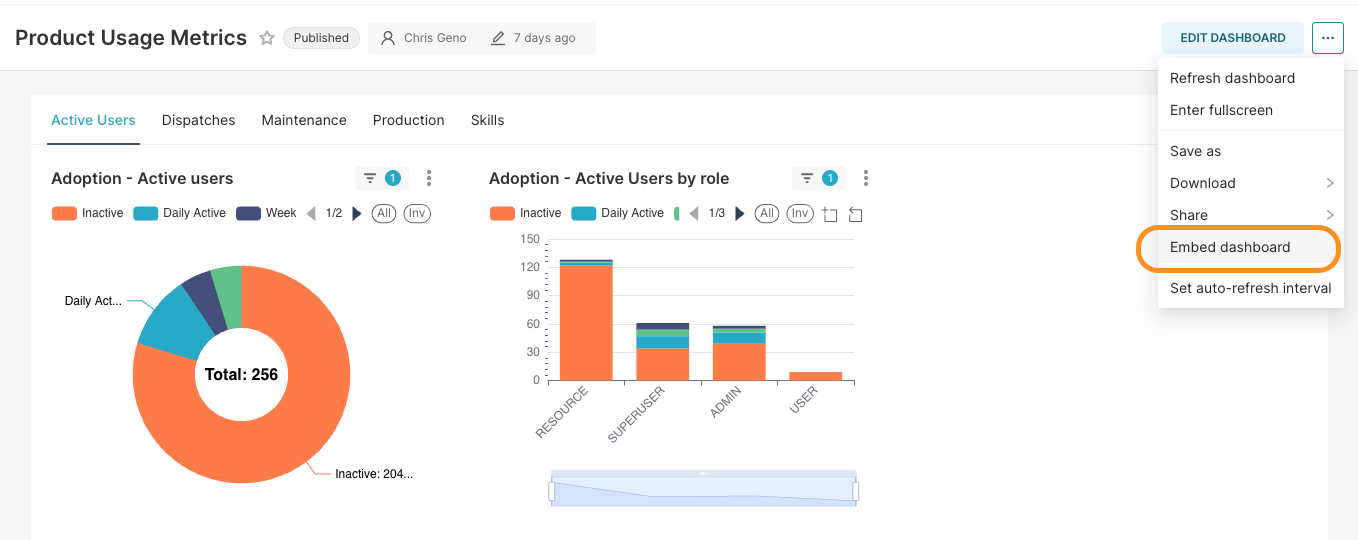
Go to the Dashboard in L2L Analytics that you'd like to embed and click the (...) in the top-right corner to select "Embed Dashboard".
-
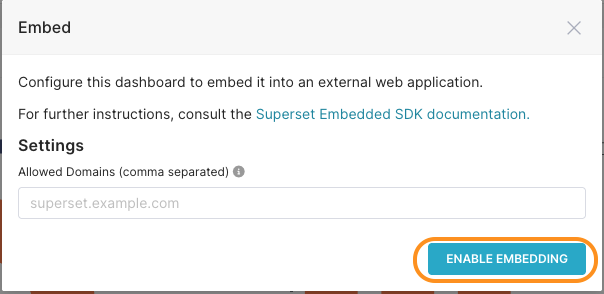
Click "Enable Embedding"
-
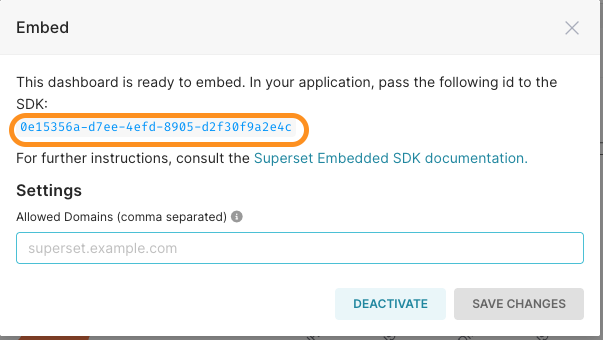
Copy the Dashboard SDK Embed ID
-
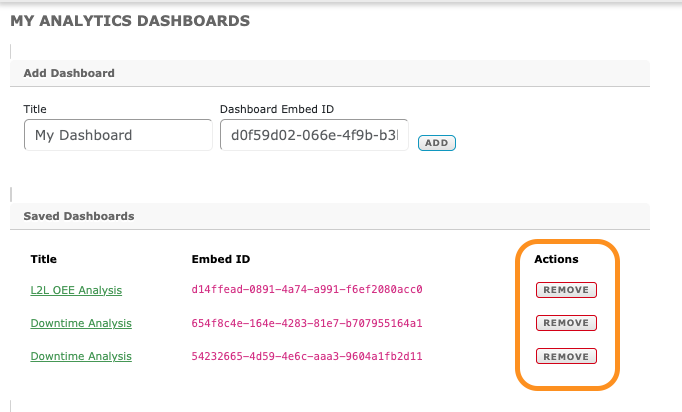
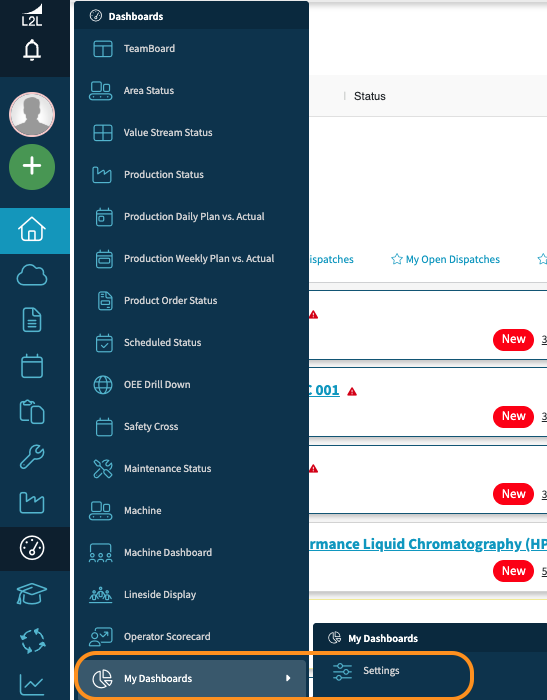
In L2L, go to Dashboards > My Dashboards > Settings
-
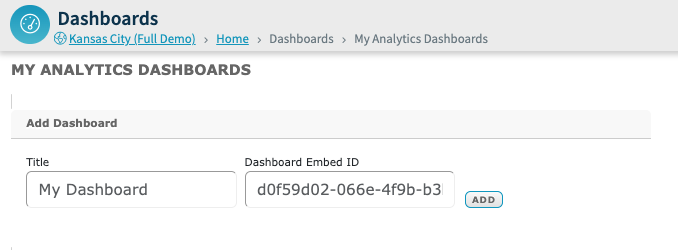
Add a title for the Dashboard, paste the Dashboard SDK Embed ID, & Add.
-
Navigate to Dashboards > My Dashboards > and select the Newly Added Dashboard to view
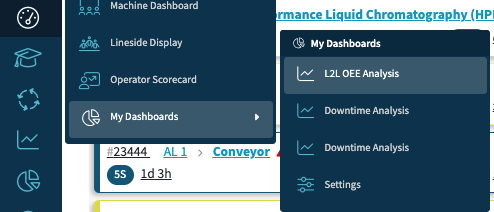
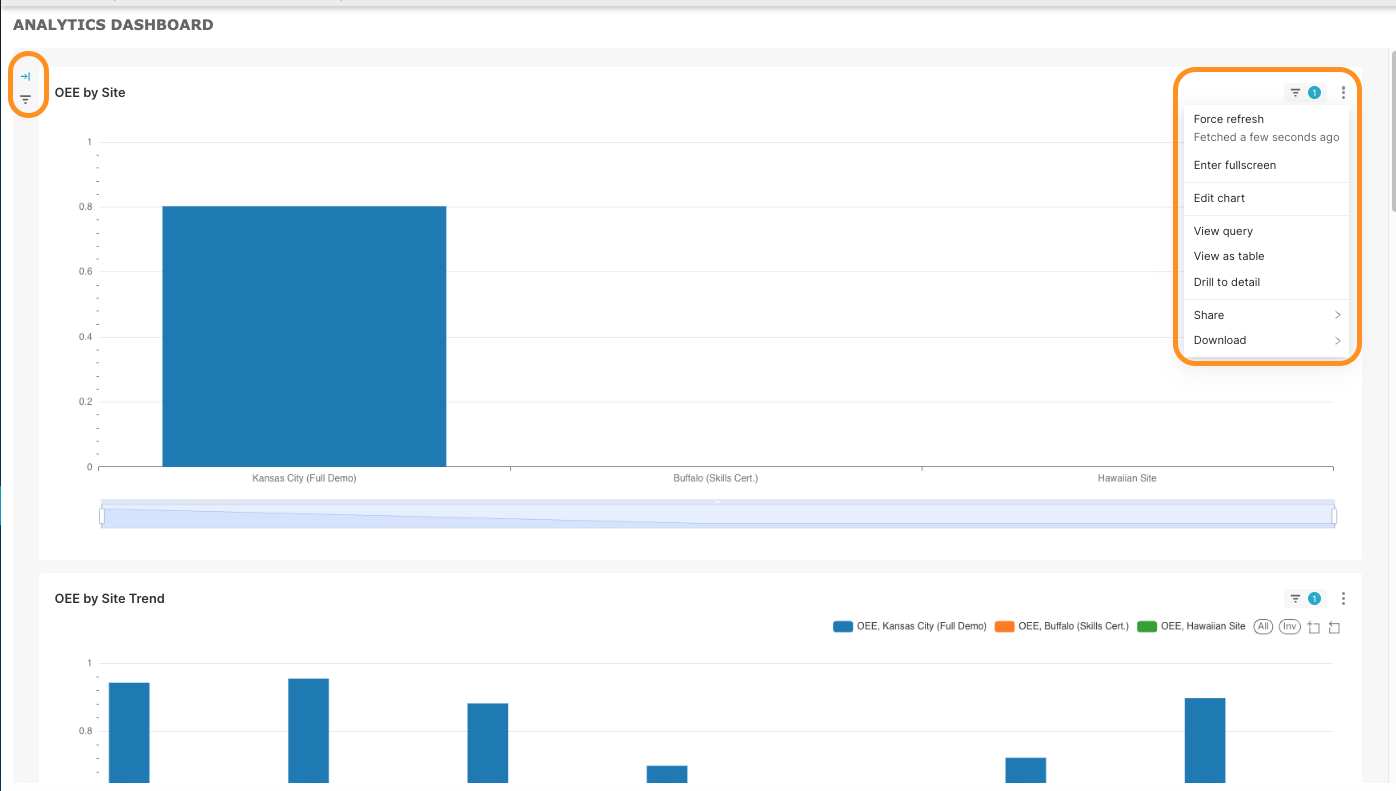
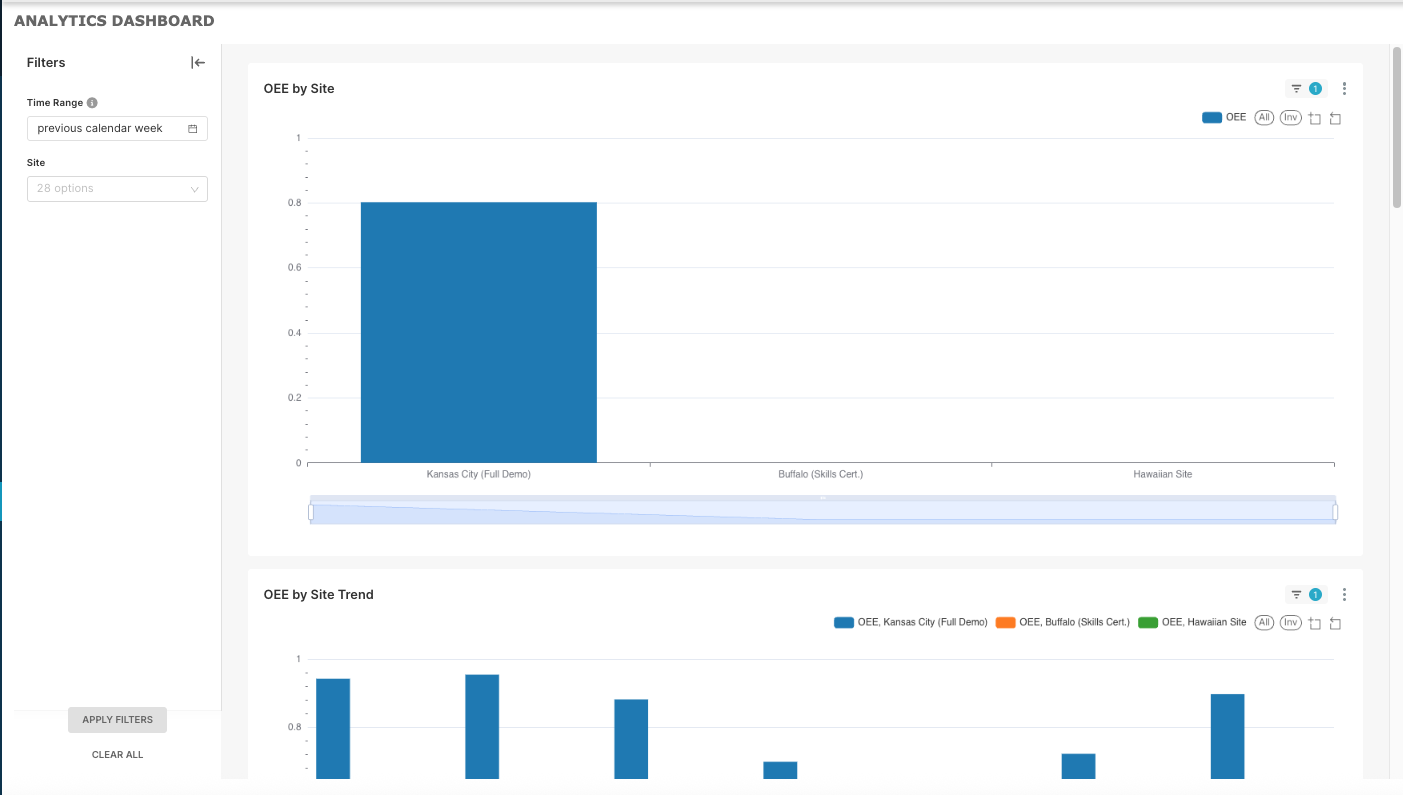
The Dashboard works the same as it does within L2L Analytics.
Please note that the filters are collapsed on the top-left of the dashboard by default, but you can click to expand. There are also additional actions/options in the top-right (...) of the dashboard.
You may return to Dashboards > My Dashboards > Settings to remove any Dashboards if needed.