How to Install Python
Last updated: June 19, 2026
Python is a powerful programming language that is known for its ease of use and readability. This document will show how to install Python on a Windows machine so you can run Python applications. If you need a head start, take a look at our API Code Examples.
Step 1: Download Python
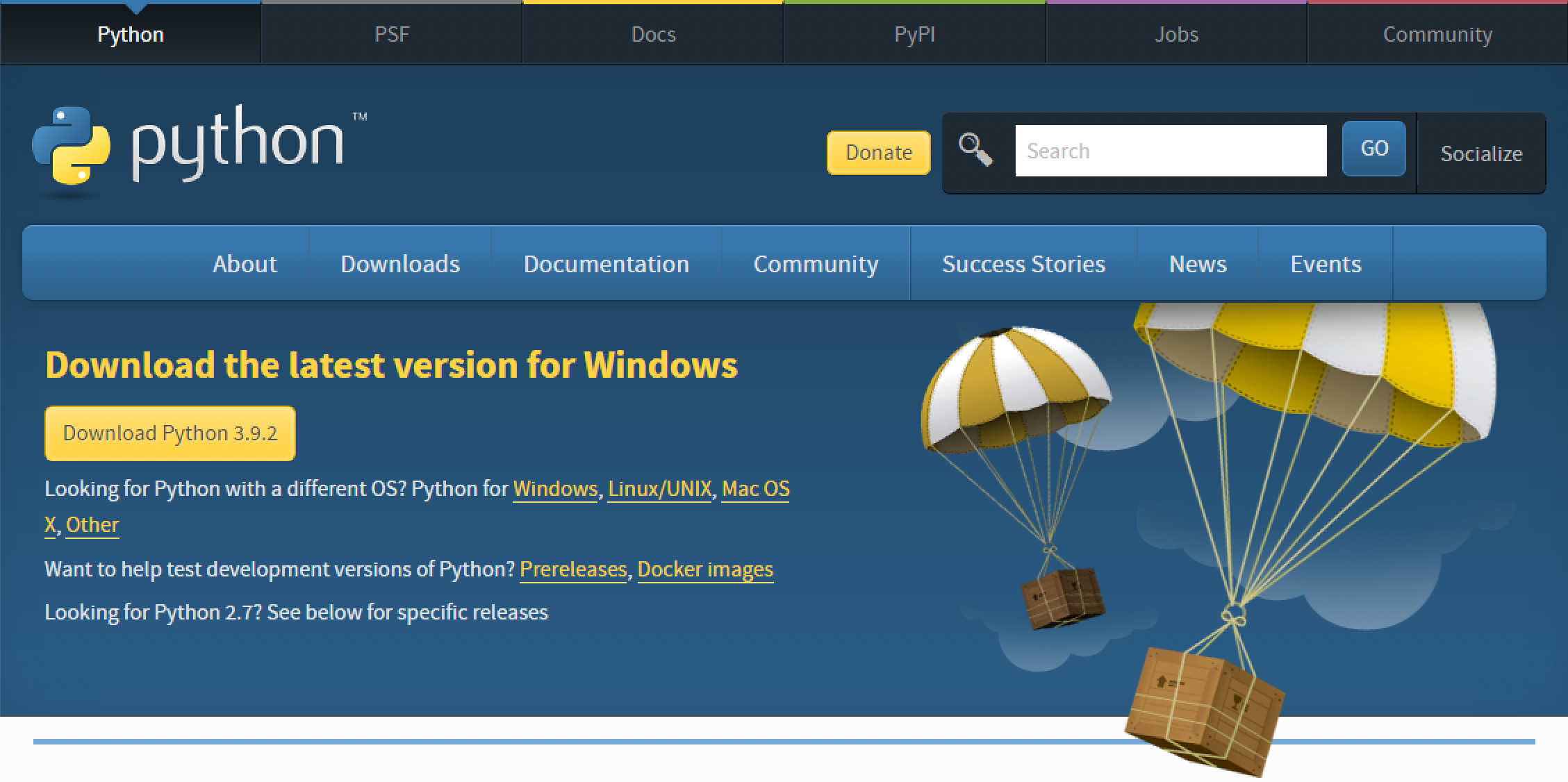
Head over to https://www.python.org/downloads/ and click the Download button. This will download the correct Python installer for your computer.
Step 2: Install Python
Run the installer on your computer. Click "Install Now" to start the installation process.
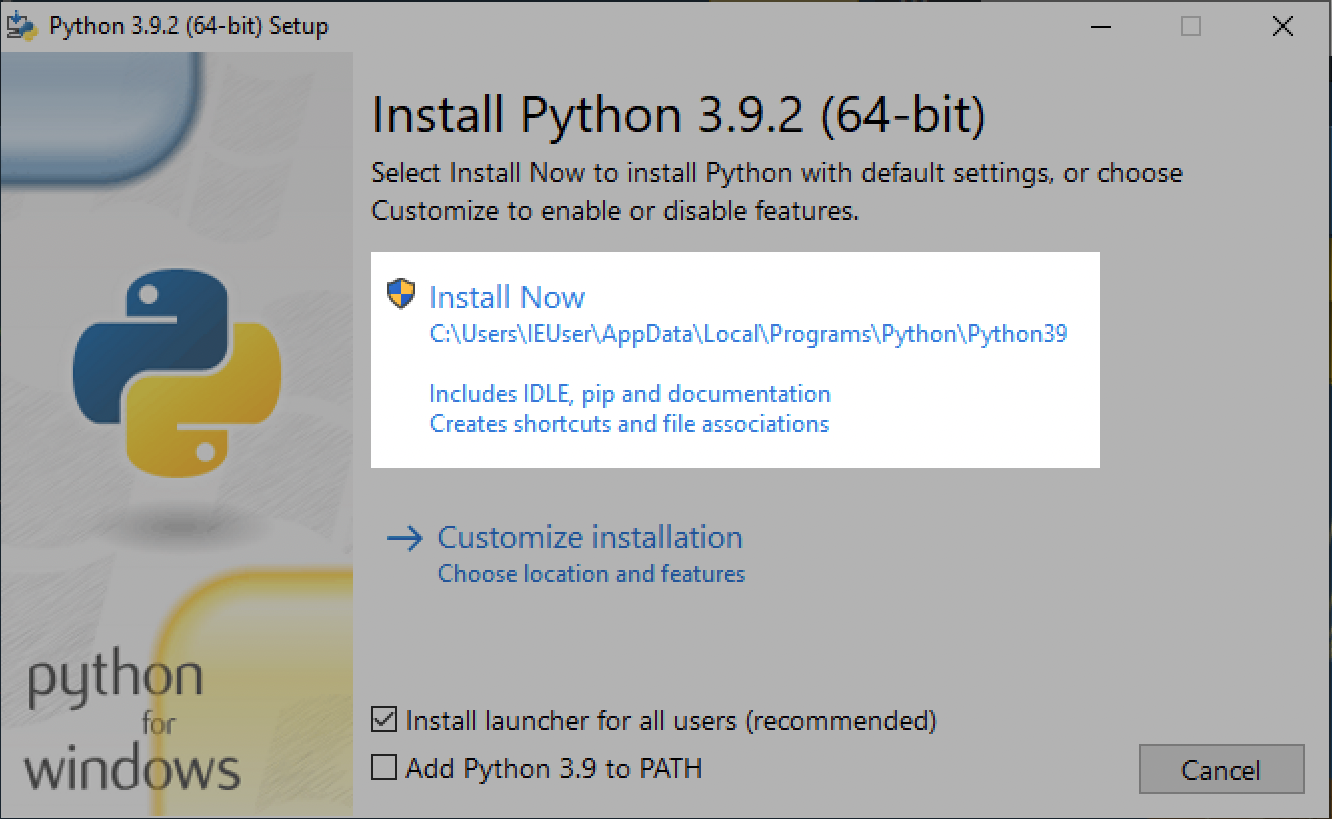
You will be asked to confirm the installation. Click "Yes."

The installer will install Python onto your computer.
Step 3: Verify the Installation
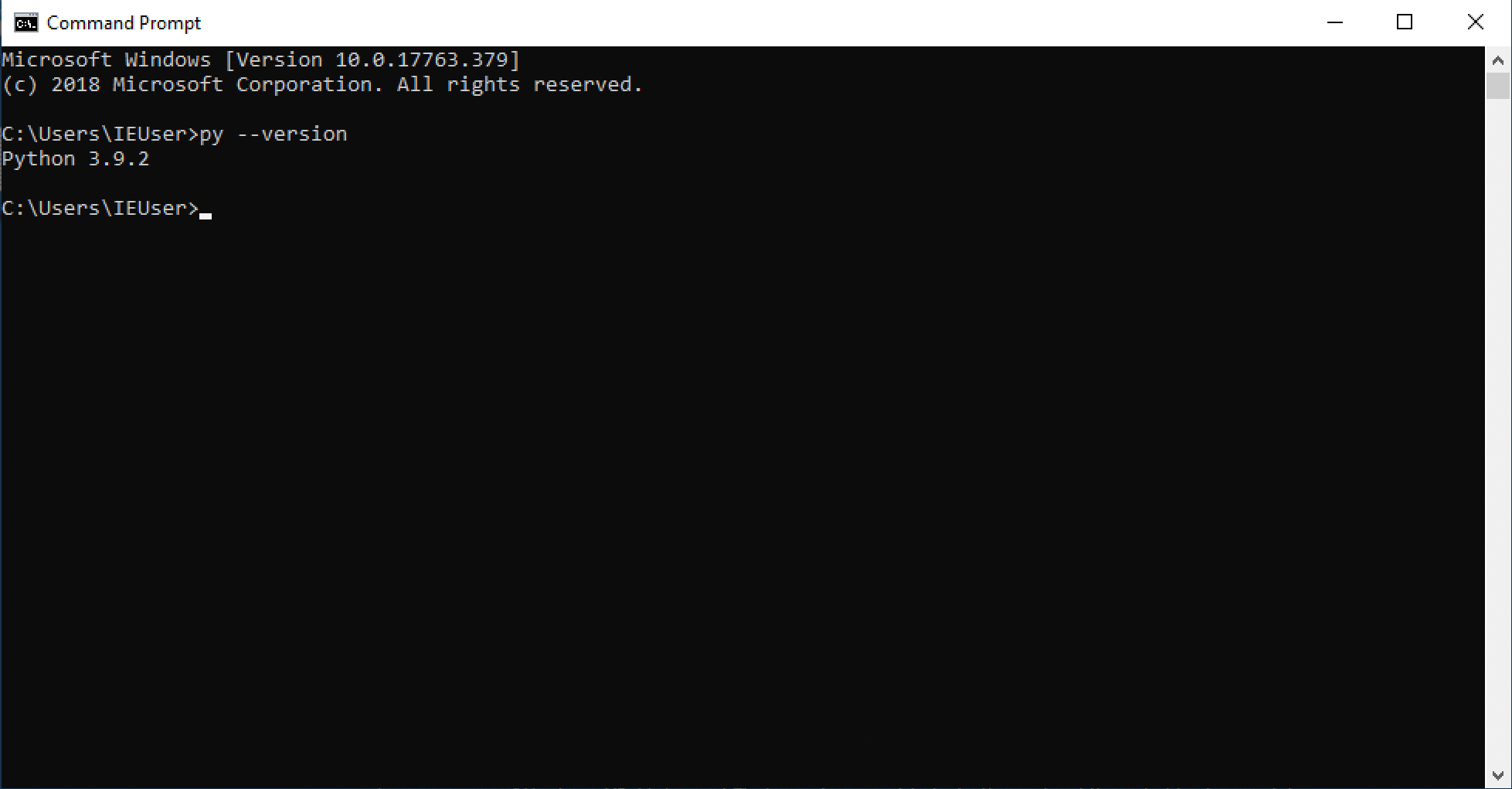
You can verify the installation by opening the Command Prompt and typing
py --version
This will show the current version of Python that is running on your computer.
Step 4: Upgrade Pip
Pip is a package manager that is used to install dependencies for Python apps. It is recommended that you keep Pip up to date in order to get the newest and most secure packages available. Simply open the command prompt and type
py -m pip install --upgrade pip
This will upgrade Pip automatically.
Step 5: Install App Dependencies
If your Python app has dependencies, you can install them using Pip.
First, check to see if there are dependencies. Usually there is a file with your app called "readme.txt" or "readme.md." This readme file will have instructions on how to install dependencies.
Some apps make it easy to install dependencies by including a "requirements.txt" file. The requirements may be named slightly different, depending on the application. Again, check the readme file to find out if the app contains a requirements.txt file.
Installing dependencies using the requirements.txt file is simple. Just type the following into the Command Prompt:
py -m pip install -r requirements.txt
Finish
That's it! Now you can run your Python app whenever you like!