Managing Concurrent Dispatches
Last updated: August 20, 2026
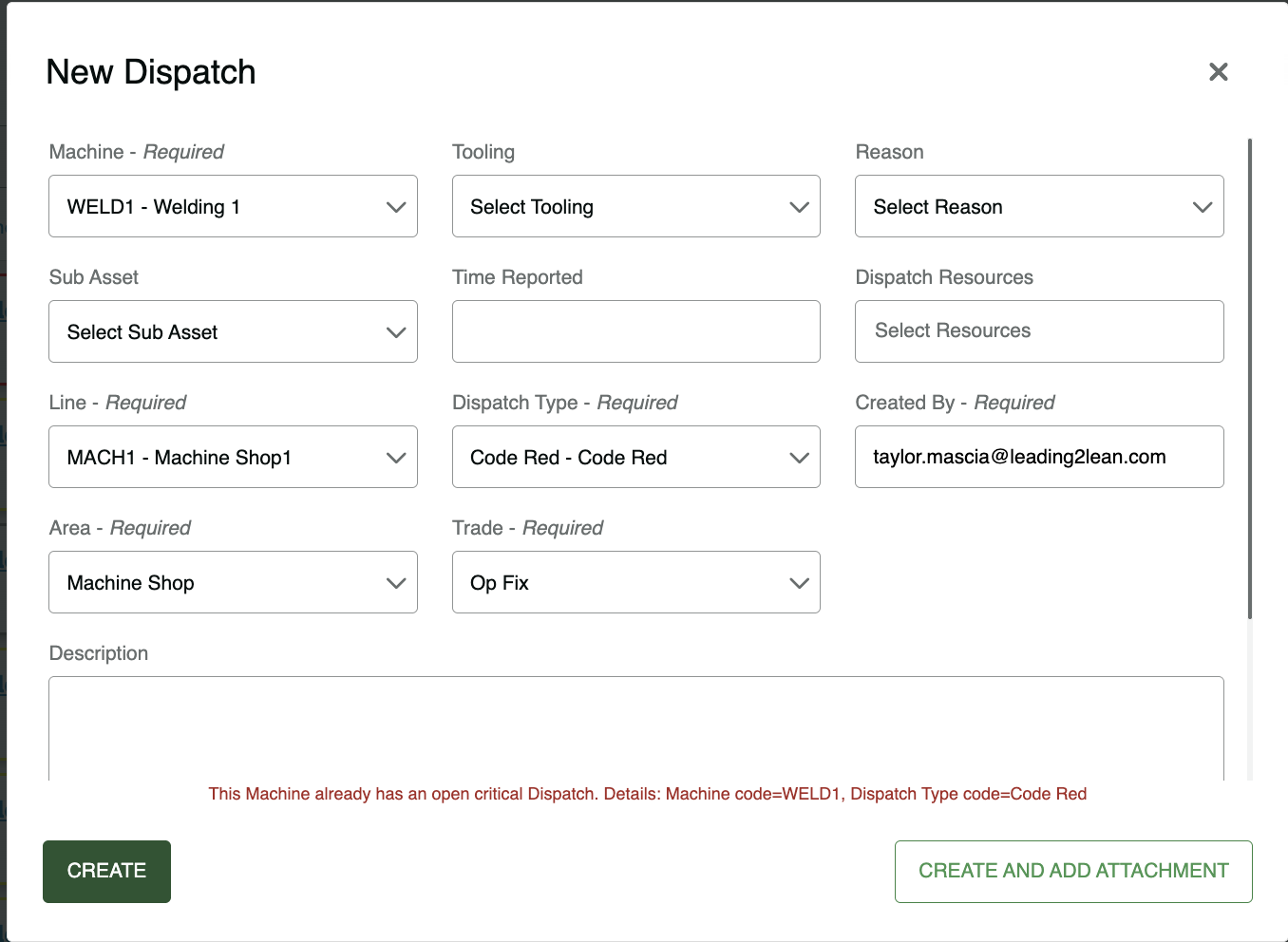
You receive an error:
Error: 'This machine already has an open Critical Dispatch' when entering a dispatch for equipment being down. (Code Red)
You receive the error but are unable to find any open Code Reds for this machine.
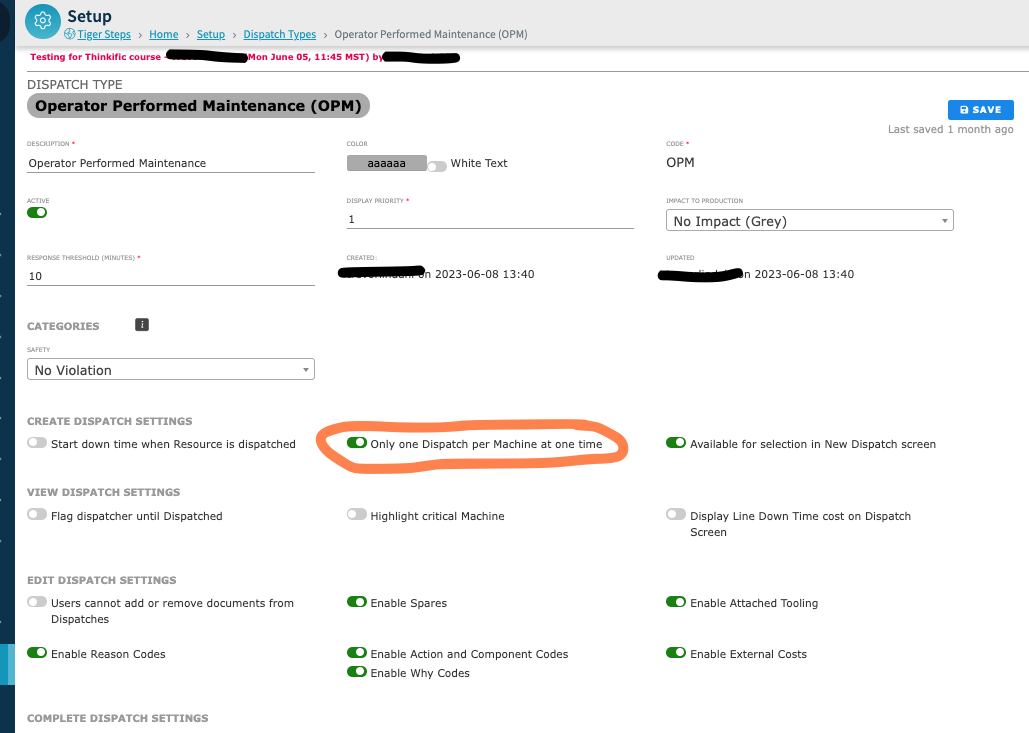
This happens when a Dispatch has a specific setting enabled.
Allow Only One Dispatch per Machine Open Simultaneously: This setting is used to limit 1 critical Dispatch Type against a machine at any given time. If this option is selected and the machine already has open dispatch with this setting the operator will receive "Machine is Already Down for Critical Dispatch Type". This setting essentially marks the Dispatch Type as critical.
How to Resolve this:
Look through your open dispatches for the machine to see which dispatch types are open and check those dispatch types for that specific setting and turn it off.
Multiple Dispatches open against one Machine Simultaneously
There are circumstances where you only want one Dispatch open at a time for a given Machine. For example, if you already have a Machine down for a Code Red Dispatch, even if there is another concurrent issue, you don't want double downtime accruing.
For those Dispatch Types, check the 'Allow only One Dispatch per Machine at One Time' box in the Dispatch Detail page (the Dispatch setup for each individual Dispatch Type). This will prevent multiple Dispatches from being created against a Machine at the same time.
There are other circumstances where it makes sense to allow more than one open Dispatch against a Machine.
For example, an Operator may be able to perform portions of multiple overlapping TPMs on the same machine at the same time. Perhaps there is also an open Kaizen Dispatch on the same Machine. For some Dispatch Types, you will not want the 'Allow only One Dispatch per Machine at One Time' box checked in the setup for those Dispatch Types. This functionality can be enabled or disabled by individual Dispatch Type from the SETUP menu. Ask your Team L2L Admin or your Site L2L Champion if you're not sure which setting is appropriate.