Pro Tip: QR Code Generation
Last updated: July 9, 2026
Looking for a way to mass generate Machine QR Codes for attachment to your machines?
First, you'll want to export your machines from the machine setup page in order to retrieve the machine IDs. You can perform this export using the steps below:
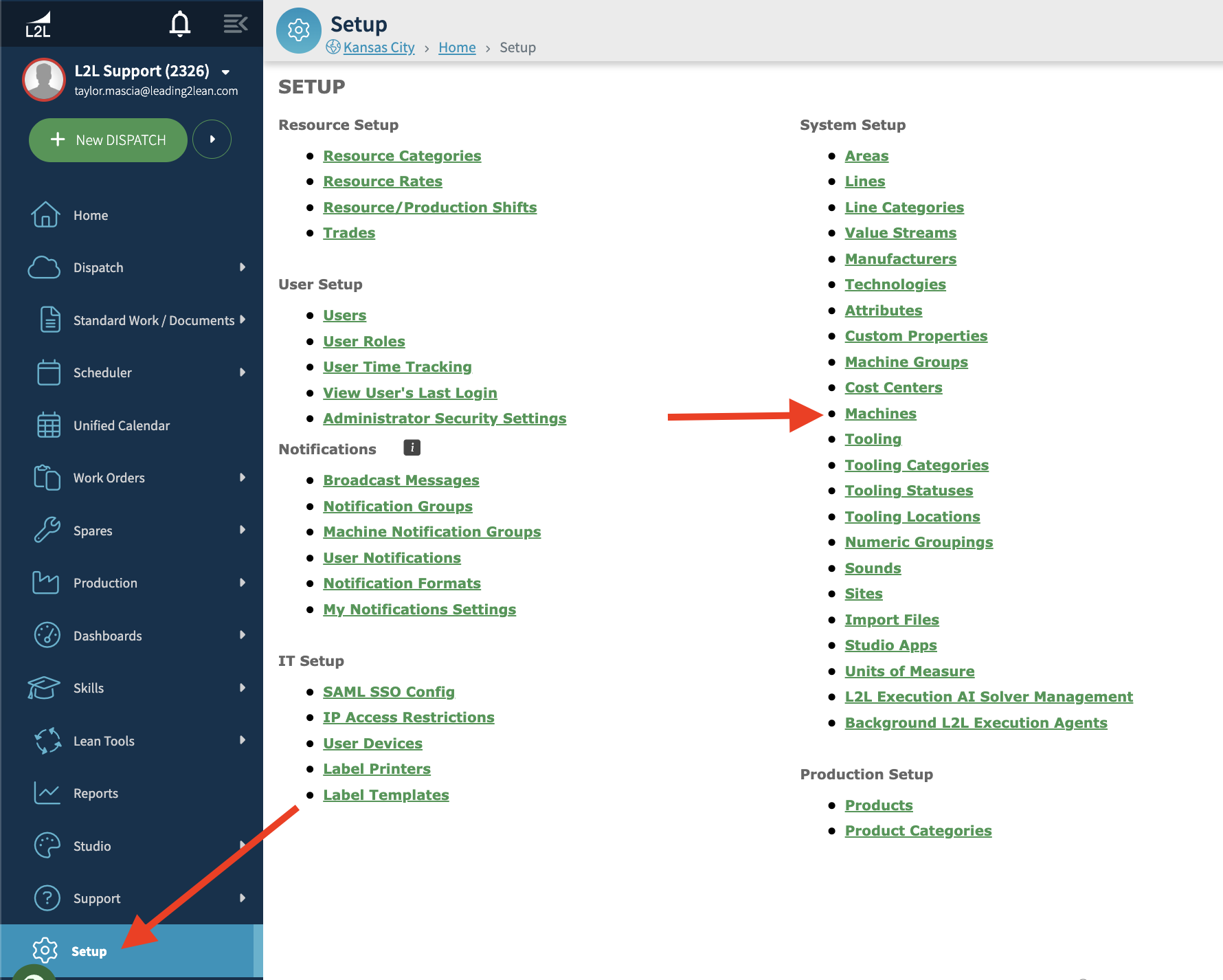
Select Setup on the left-hand menu.
In the System Setup section, select Machines.
Select Export at the top right of the list.
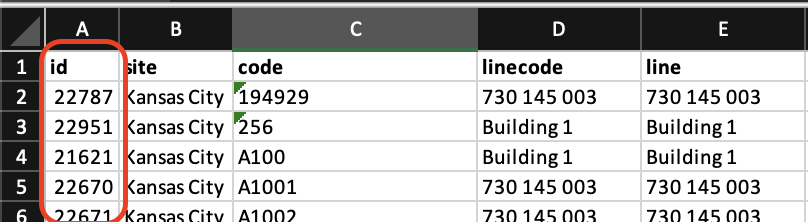
In the exported file, the machine ID is the left-most column (id).
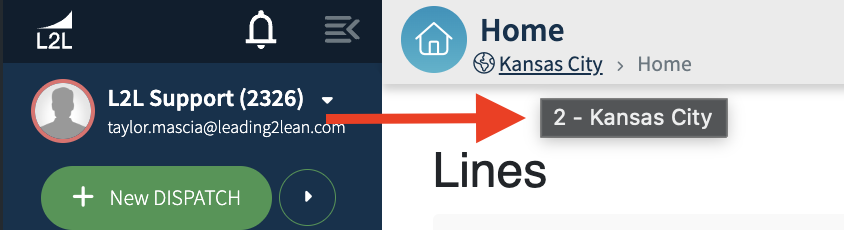
Next, you will need the site ID. You can find the site ID by hovering your mouse over the site link underneath "Home" towards the top left of your account. In the screenshot below, the site ID is 2.
You'll then use this format to run the URLs through a QR generator.
https://[customer].leading2lean.com/link/[siteid]/machines/[machineid]
You can find QR Code generators by doing a simple google search. Some examples are listed below: