4.10.26 Quick Fix Functionality for Non-Production Customers & L2L Execution AI Solver Management Administrator Custom/Saved Solver Sharing

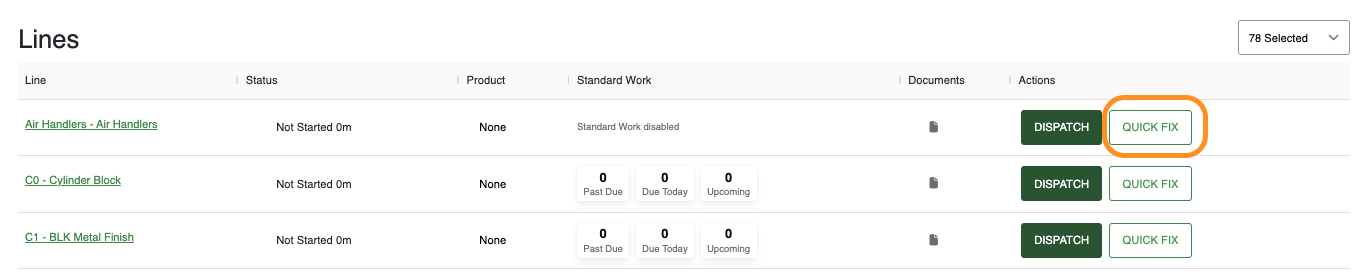
We’ve expanded the Quick Fix / Operator Fix functionality to support customers/sites that do not have the Production Module enabled.
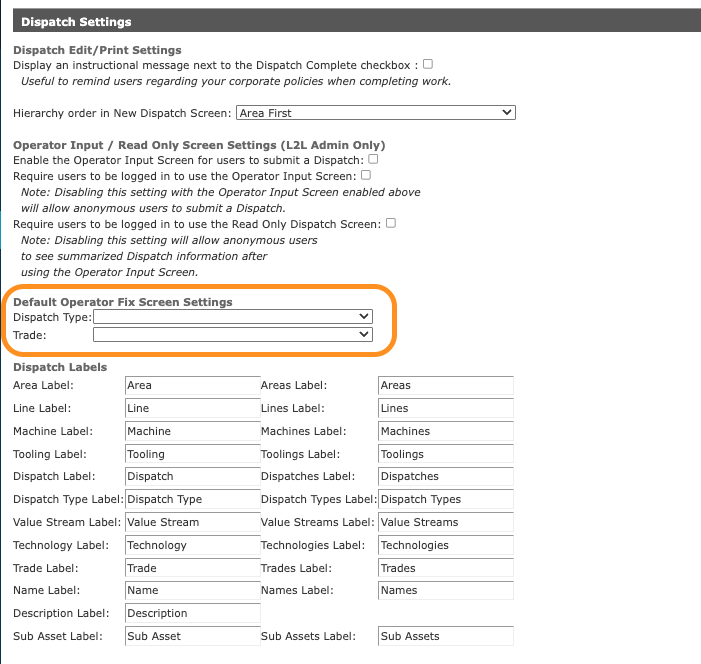
You can now configure these shortcuts directly within Dispatch Settings.
Once configured, the Quick Fix option will be available on the Role-Based Home Page for faster issue resolution and data entry.
How to Configure
To enable this for your site, navigate to your Dispatch Settings and define the following defaults:
-
Default Dispatch Type: Select the type to be used for Quick Fixes.
-
Default Trade: Assign the standard trade associated with these quick-response actions.
L2L Execution AI Solver Management
Custom/Saved Solver Sharing
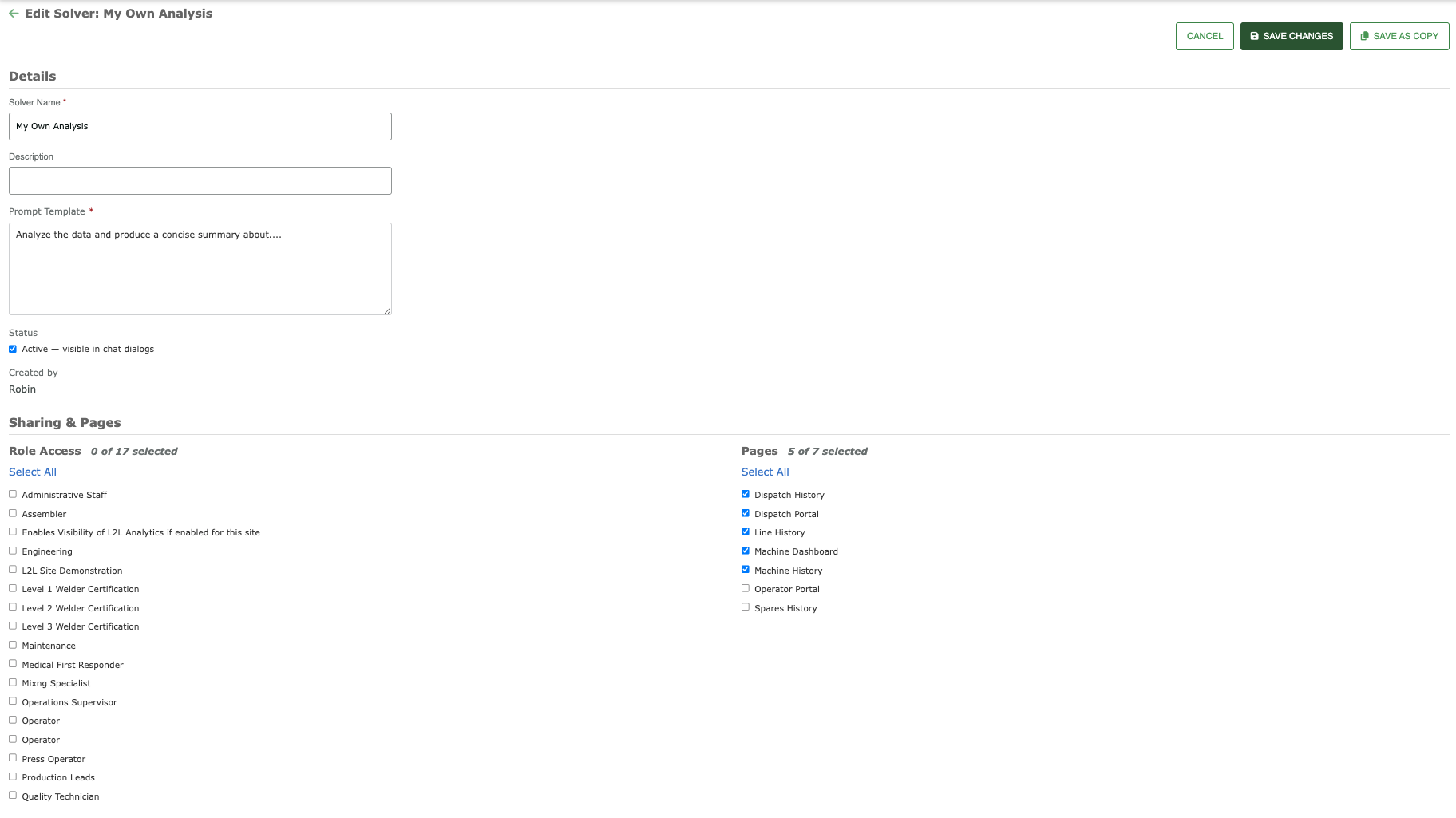
System Manager Administrators can now manage and share custom/saved AI Solvers to targeted roles & pages.
Accessible under the Setup menu for System Manager Administrators.
Share custom or saved solvers across your site by selecting specific Role Access & defining which Pages a shared solver can be viewed.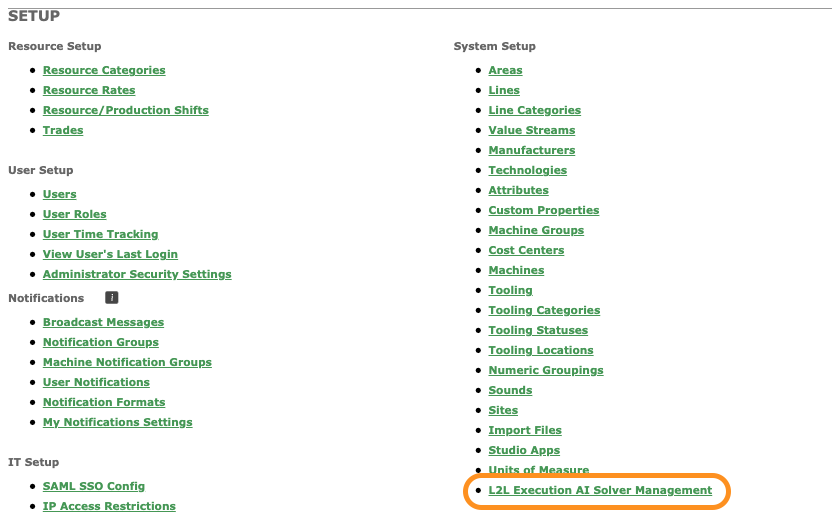

Please sign in to leave a comment.
Comments
0 comments