3.20.26 Dispatch Type Setting to require sub asset to create new dispatch & Dispatch Status Dot Indicator

Dispatch Type Setting: Sub Asset must be selected to open a DISPATCH
We have introduced a new dispatch type configuration setting to help teams ensure data accuracy and asset tracking. Administrators can now require that a Sub Asset be selected before a dispatch can be created or saved.
A "Sub Asset must be selected to open a DISPATCH" toggle is now available within the Create Dispatch Settings section of the Dispatch Type configuration screen.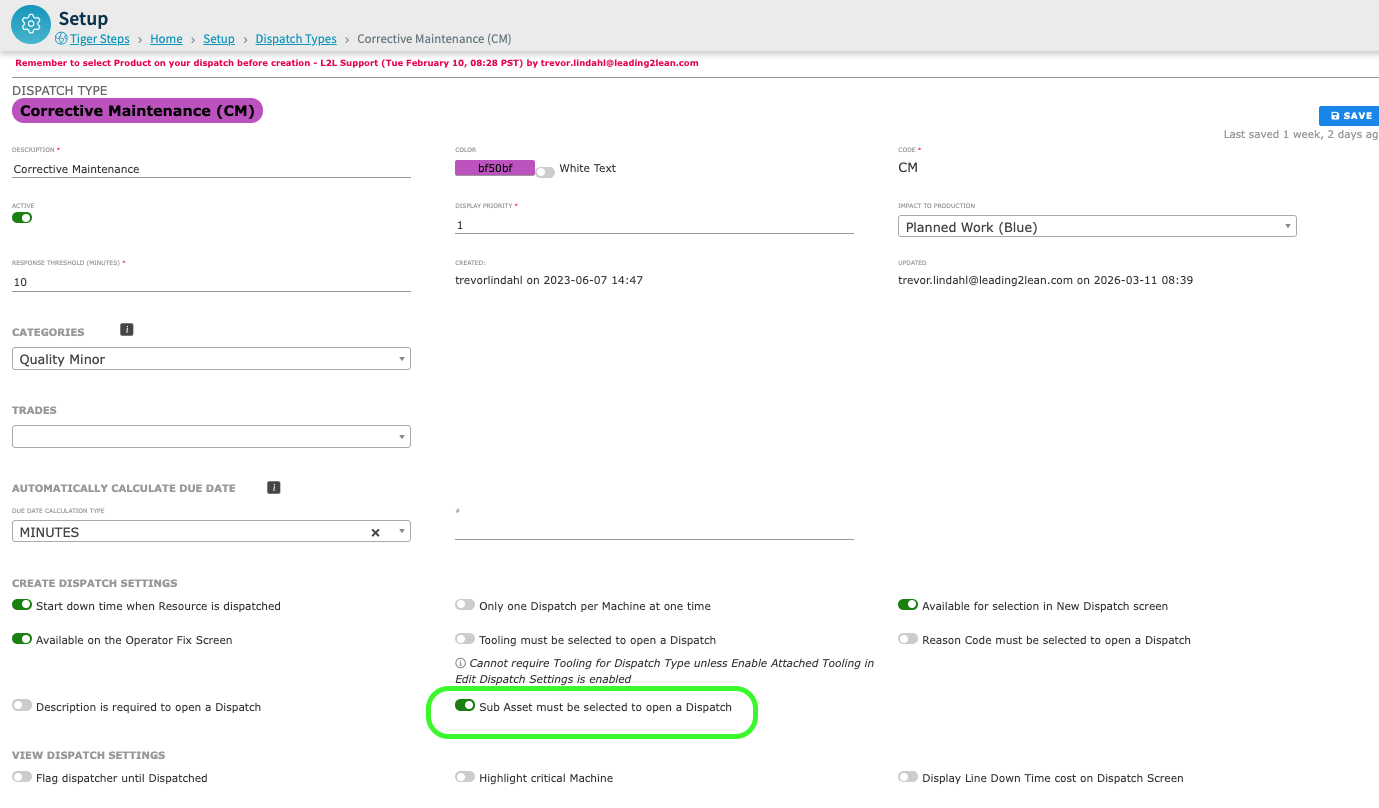
When this setting is enabled, the Sub Asset dropdown becomes a required field. The system will prevent the Dispatch from being created or saved until a selection is made.
To guide users, the Sub Asset field will be visually marked with a required indicator (such as an asterisk) whenever the setting is active.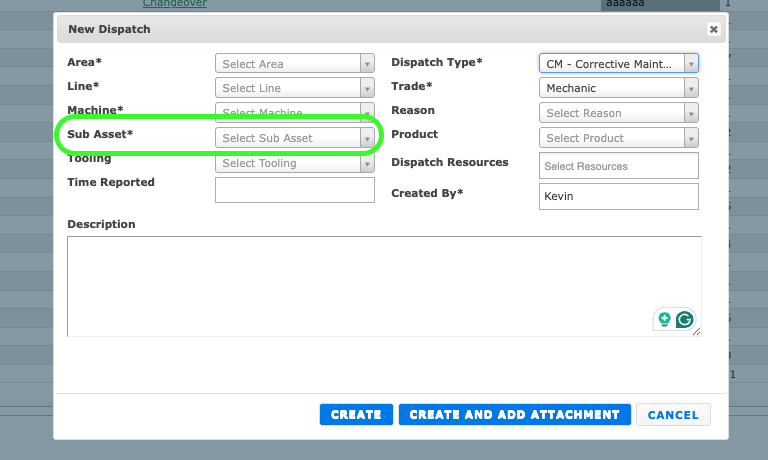
This requirement is enforced across the platform, applying to both the New Dispatch modal and the Edit Dispatch screen.
New Dispatch Status Indicators
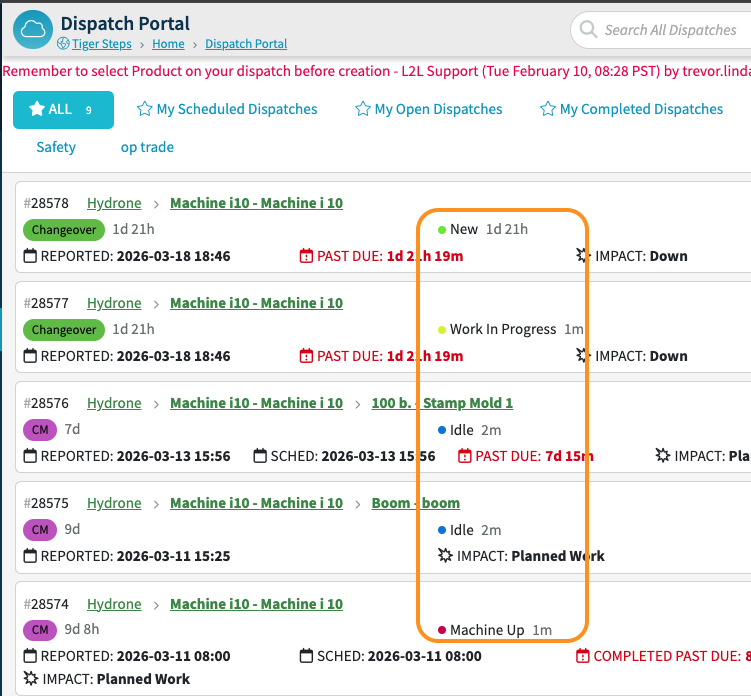
We have replaced the large, colorful status with a simplified dot indicator system.
Our usage data shows that most users look for the Dispatch Type first. The previous status indicators were visually competing for your attention, making it harder to scan the page quickly.
By moving to a dot indicator, we’ve established a clear hierarchy where the Dispatch Type is the dominant identifier, allowing the status text to be more readable and less distracting.
This adjustment reduces visual clutter across the list view, helping you parse critical information at a glance.
Note: This is not a configurable setting.
Please sign in to leave a comment.
Comments
0 comments