3.18.26 Dispatch Portal Impact Display & Admins can Group all Reject Limits failures into one Dispatch

Enhanced Impact Visibility on Dispatch Portal:
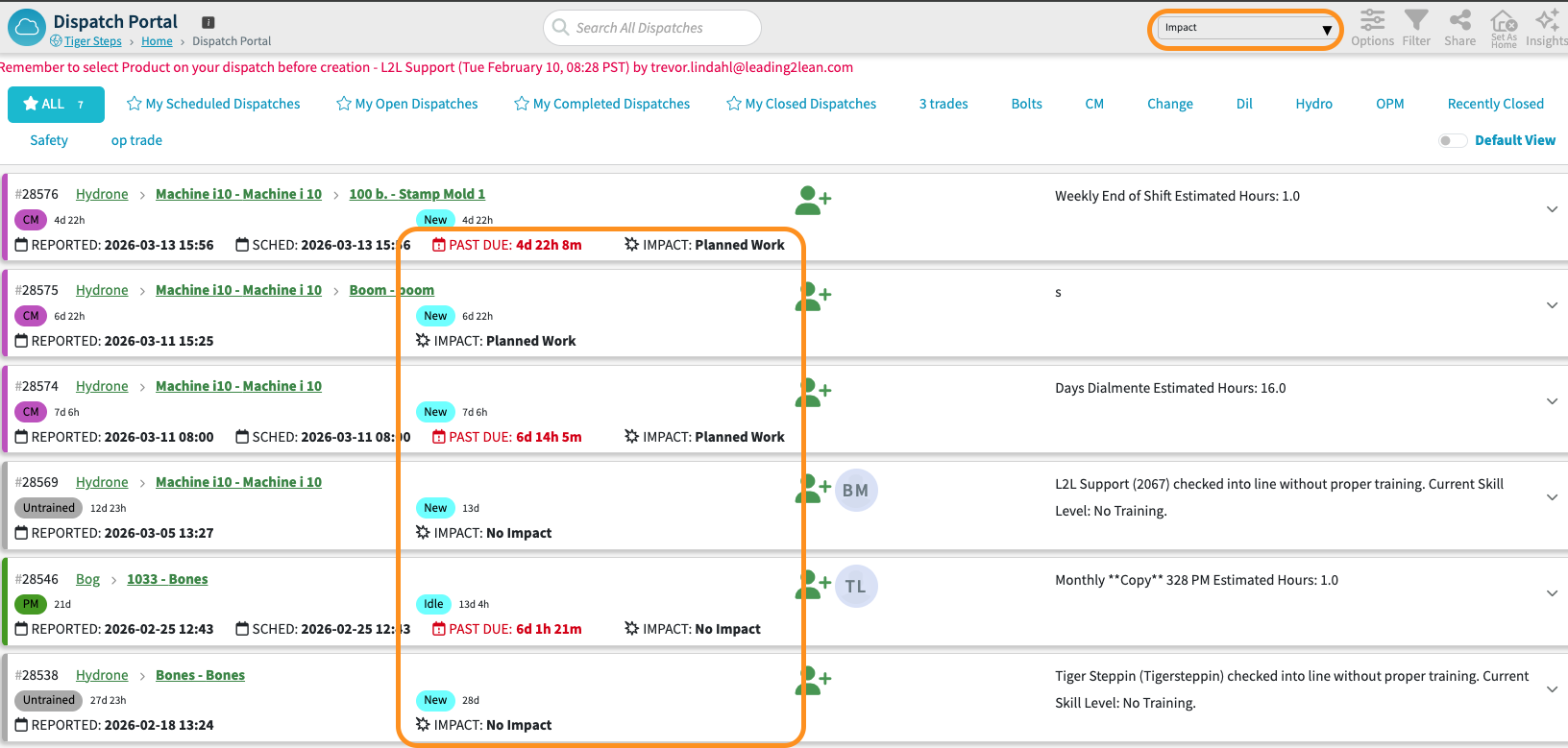
Dispatch Impact can now be displayed directly on the Dispatch Portal.
The system will automatically surface this information when users sort by Impact, ensuring the most critical consolidated issues are prioritized.
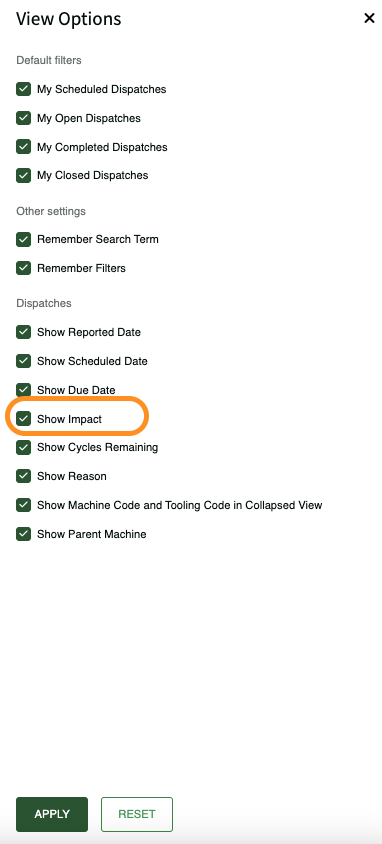
There is also a setting in the View Options to show Impact even when not sorting by Impact.
Consolidated Reject Limit Dispatches for Checklists
Checklist Administrators now have more granular control over how reject failures are handled, reducing notification fatigue and streamlining technician workflows.
Key Improvements
-
Consolidated Reject Dispatches: Admins can now configure checklists to group all Numeric Checklist Task Reject Limit failures/violations into a single Dispatch upon completion. This prevents users from being overwhelmed by multiple individual notifications for a single process control event.
-
Per-Checklist Configuration: This behavior is toggleable at the individual checklist level. Admins can choose between the traditional multi-dispatch behavior or the new single-dispatch consolidation based on the specific needs of the process.
For teams utilizing high-question process control checklists, this update significantly reduces digital "noise." Instead of receiving a separate dispatch for every failed numeric task, your team receives one comprehensive record, making it easier to manage and resolve issues without losing the specific data from each failure.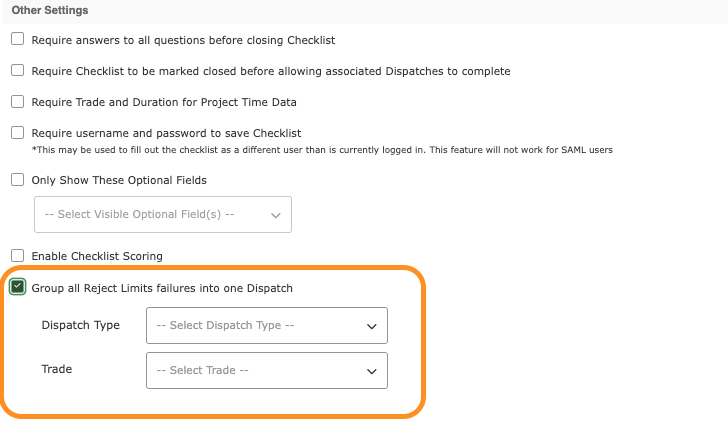
Please sign in to leave a comment.
Comments
0 comments