Schedule with that Name Already Exists Error
Last updated: July 9, 2026
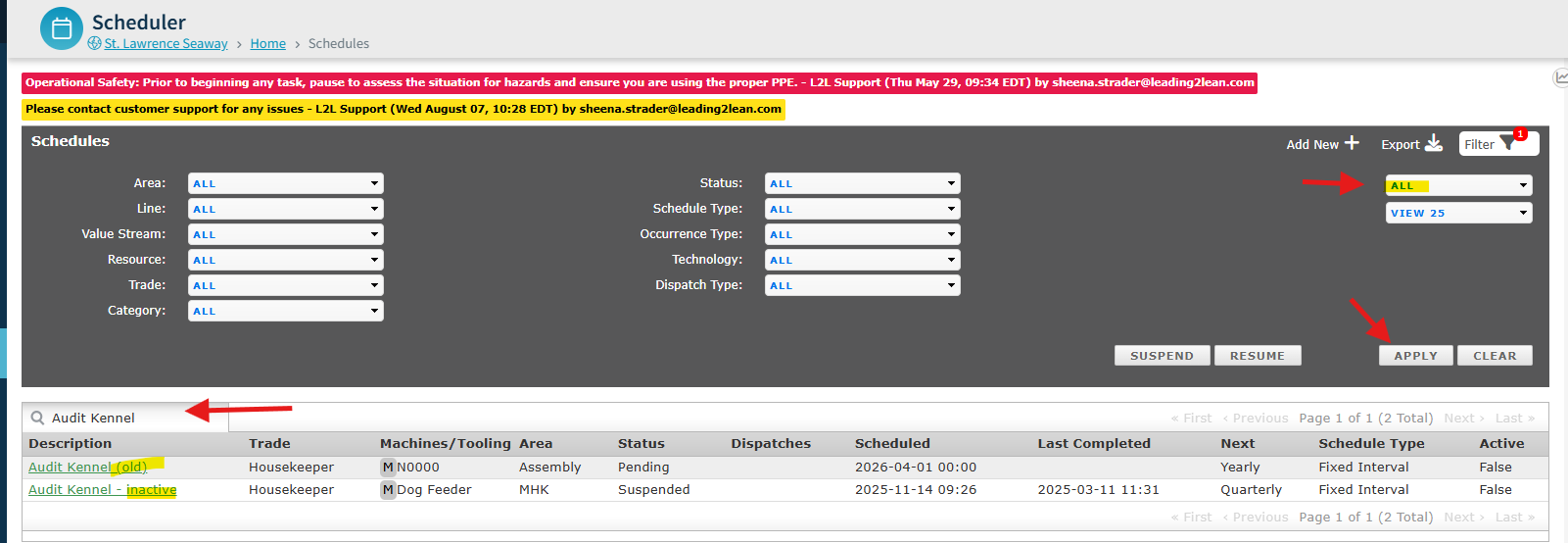
Are you trying to make edits to your schedule, but you keep receiving 'a scheduler with that name already exists, please try a different one' but when you search, you don't see anything.
In March 2025, we fixed an issue that allowed duplicate schedule names. However, prior to that date, if there were schedules already created, you will encounter this error.
How to fix: Search using the ALL filter to find a duplicate. Edit the duplicate to say (inactive, old, etc) and save. Now, you should be able to edit the current schedule and save without an issue.